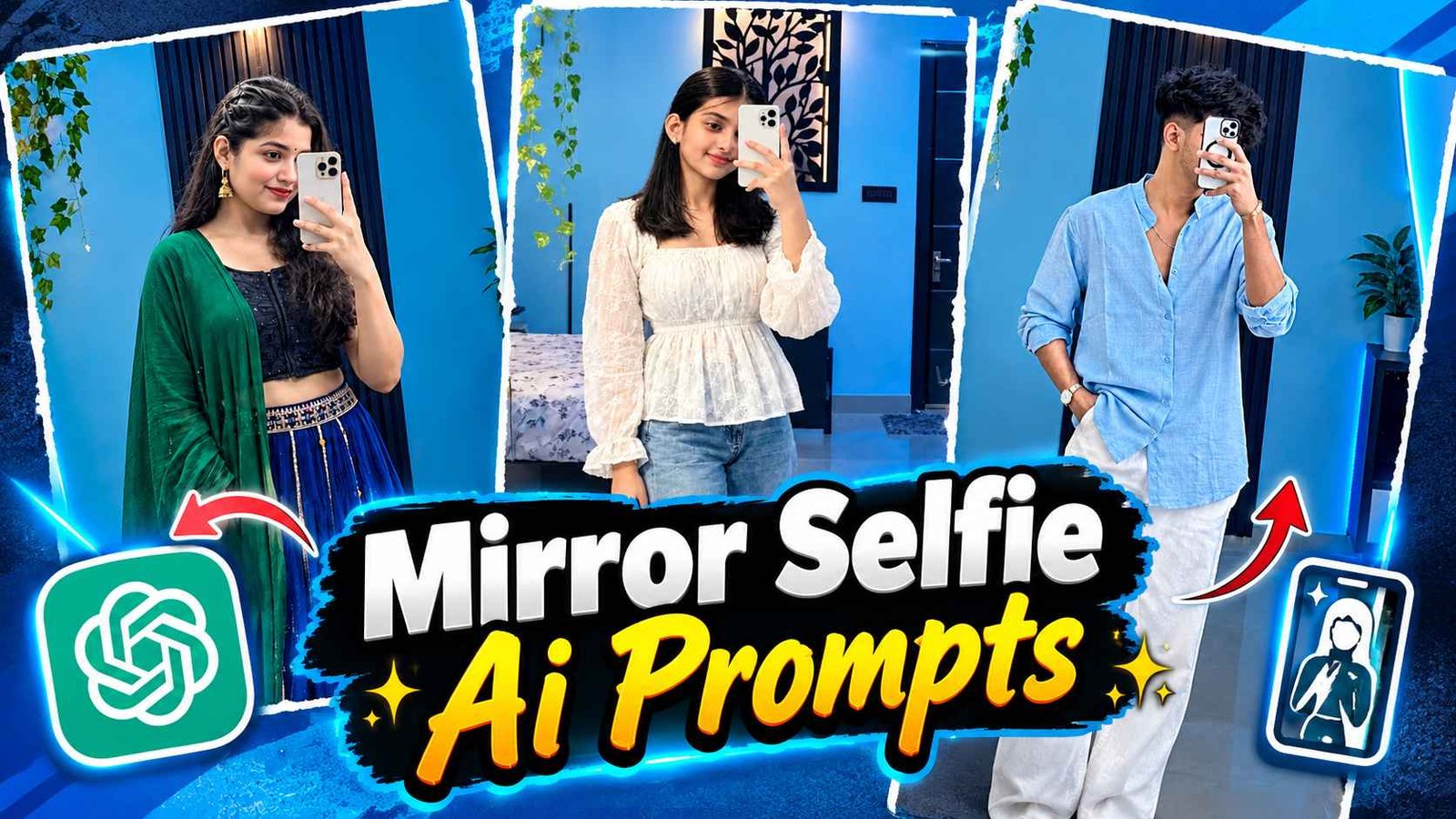
Mirror Selfie Ai Prompt – A few months ago, there was a trend of making an aesthetic mirror selfie photo on social media, especially on Instagram, which you must be aware of, in which people were making their aesthetic photo while taking a selfie by going in front of a golden colored mirror and that picture had become so viral that everyone, boy and girl couple, had become crazy about making that kind of photo. Lok was making a very spectacular picture with just a reference photo of himself or rather a selfie photo along with a prompt. Some people were making photos using Instagram only, in which they were making photos using filters by clicking on the Restyle tool given in Instagram and if you are also using social media, especially Instagram, then you must have seen a new type of mirror selfie AI photo which has started going viral very fast. Which is known as Blue Aesthetic Mirror Selfie Photo Editing.
If you are also thinking of making a similar photo and are looking for a prompt related to it, then today’s article is going to be very special for you because today’s article is related to the same in which I will tell you. How to get a prompt for a new type of mirror selfie photo. Also how to create photo using prompt.
Complete Detail Mirror Selfie Ai Photo Editing
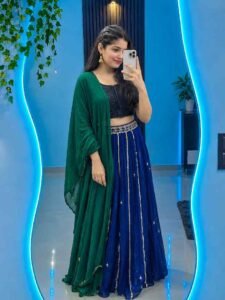
So, this is what you get to see in that kind of mirror selfie photo. The photo of the boy or girl who is making such a photo is shown in front of a big, attractive mirror with wavy edges installed in a modern and luxurious bedroom. The walls of the room are decorated in blue, on one side there are green decorative vines hanging from the ceiling, at the back there is a black decorative panel with vertical stripes and a small lamp with warm yellow light. Which gives an aesthetic look to the entire photo. This is the reason why everyone, be it a boy or a girl, is thinking of making such a picture these days. To make such a picture, it is not necessary that the photo we use should be a full body photo. We can create such a full body photo with just one selfie photo. If you want that the photo created by us should be half body instead of full body, then you can do this by writing the text as per your choice in the prompt.
You can use the given prompt with any Ai tool like Instagram’s Restyle or chatgpt or just like that. We can also easily create similar photos using Gemini as you can see some photo samples in the thumbnail.
Instagram Restyle Tool Photo Editing
If you want to create such a photo with just your photo without using the prompt, then Instagram’s Restyle tool would be the best option. All you have to do is open the Instagram app. Before opening the app, make sure to update it from Google Play Store. After the update, open the app and go to the same option from where you upload the story and select one of your photos. A tool named Restyle can be seen on the right side. Click on it and there you get to see different types of filters. You can search there by typing mirror selfie. You will get to see different types of filters to create any photo related to this. Can easily create a photo by choosing a filter there. Apart from mirror selfie, there are other types of AI photo making filters which are often in trend, so you can easily make photos from there also.
Mirror Selfie Ai Prompt

AI PROMPT
PHOTO CREATE
Create Mirror Selfie Ai Photo Using Prompt
To make a photo using the given prompt, first if you are a boy then copy the prompt by looking at the photo of a boy. If you are a girl then copy the prompt by looking at the photo of a girl. After the prompt is copied. Select a good quality photo of yours using which you want to create the photo. After selecting the photo, you can either create the photo. Using Instagram or with the help of gemini or chatgpt, for example. If you want to create it through gemini, then install the gemini app from Google Play Store. Open the app and login with your Google account. First select the create image option shown on the screen. Then with the help of media option, upload your photo and paste the prompt in the chat box and click on send option. Your photo will be ready in some time.
If the created photo is not looking good then you can make the photo. As per your requirement by writing the text in the prompt. Otherwise you can try again. By opening a new chat and doing this, your photo will be created in a very cool way.
Conclusion
In this article we told you about the viral Blue Aesthetic Mirror Selfie AI Photo Editing. Now you can. Create stunning mirror selfie photos with just one selfie of yours and AI Prompt. Via ChatGPT, Gemini or Instagram Restyle Tool. Hope you liked this information. Please share this with your friends also. If you need a prompt to create a golden mirror selfie AI photo, you can visit our previous article.