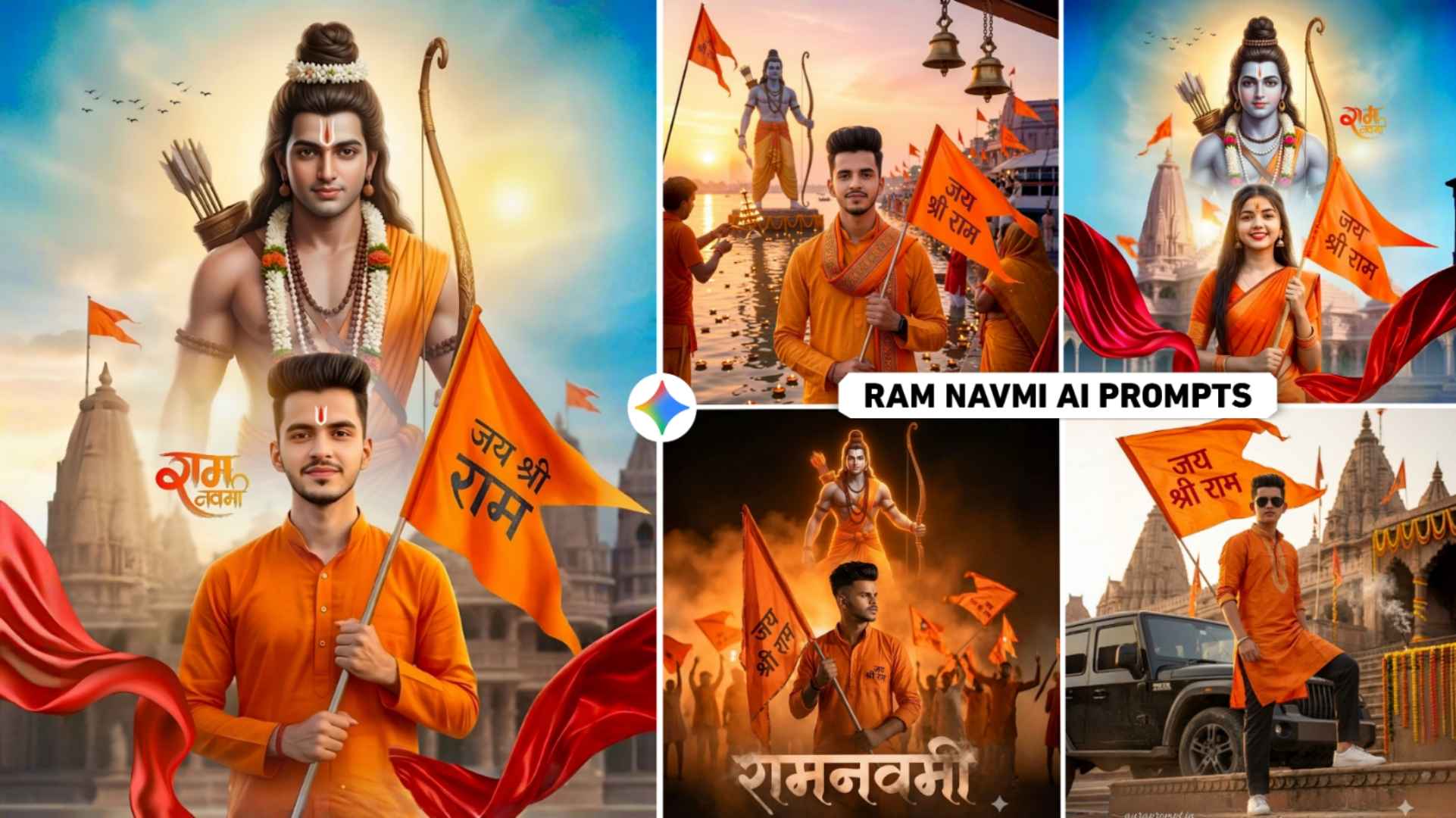
Ram Navami Ai Photo Prompts – The festival of Ram Navami, celebrated as the birthday of Maryada Purushottam Lord Shri Ram Ji, is very near which is being celebrated on 26 March in the year 2026 and you must be aware of it. People like to do various types of editing related to any festival to make it more memorable. Especially people create photos of their own faces with the help of AI tools like Gemini and share them on Instagram. Something similar happens with Ram Navami festival. Now only two to three days are left for Ramnavmi and I have seen that people are creating and sharing photos related to it with various types of AI on social media, especially on Instagram. So today’s article is related to this AI editing in which I am going to tell you about creating photos with your own face with the help of AI on Ram Navami festival. In this article, we are going to share some great prompts for creating photos with Gemini AI. With the help of which anyone can create a photo very easily. Be it a boy, a girl or a couple.
Complete Information Ram Navami Ai Photo Prompts
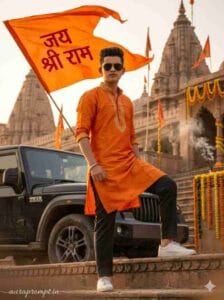
In this article, we have shared five to six types of prompts to create a photo with your own face on Ramnavmi festival with the help of Google Gemini, that too with the photo, we have included the prompt in it for all the brothers and sisters. If you make a photo from the given prompt, then your photo can be made in something like this. Right in front of the Ayodhya temple, you will be wearing orange (saffron) colored kurta or saree. You will also be holding a big saffron colored flag in your hand with Jai Shri Ram written on it. The image of Lord Ram will be visible in the sky in the background in which he will be completely in the look of a forest dweller with a bow and arrow in his hand. There will be red silk cloth on both sides of your photo. We have also included a prompt to make a photo while going to Ram ji’s rally along with Saryug Ghat. You can easily copy the prompt by looking at all the photos.
How To Match Faces In Generated Photos
Along with making a photo on Ram Navami, it is very important to get the face in the photo. Often people are not able to create a picture with AI because the face is not visible, but let me tell you, you must have seen it often. People who make photos with AI. His face matches perfectly in the photo and my face also matches easily in the photo. This is the biggest reason. The face in the photo will be the same as the photo you upload in AI Tools while editing. For example, if you do not upload blur or good quality photo, then the face will not be visible properly in the created photo, there will be very little match, that is why whenever you create your photo, upload whatever photo is done with AI and prompt. Try that the photo should be of very good quality, in which the face is clearly visible. We have seen a lot of people. If you click a photo wearing glasses and upload the same photo due to which the face does not match, then do not make such a mistake, whatever photo you upload.
Try not to wear any kind of glasses in that photo. The second mistake people make is to upload a full body photo, this should not be done. You must upload only a half-body photo in which the face is clearly visible.
Ram Navami Ai Prompts
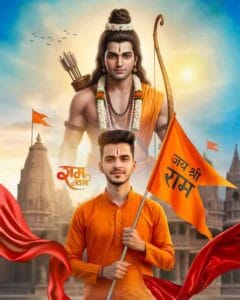
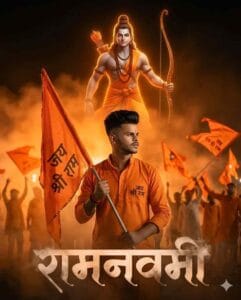
Gemini Ram Navami Ai Prompts
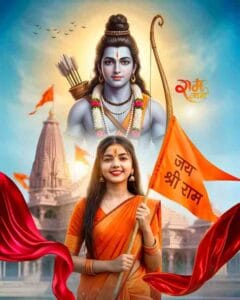
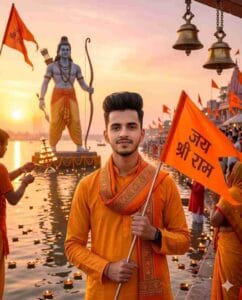
Why Is The Festival Of Ram Navami Celebrated?
We celebrate the festival of Ram Navami as the birth anniversary of Lord Shri Ram. It is one of the very important and sacred festivals of Hindus. People say that Lord Shri Ram was born on this day. Who was the son of King Dashrath of Ayodhya. This festival gives the message of victory of good over evil and establishment of religion. It is often seen that on this day people recite Ramayana and do bhajan-kirtan in temples. People also keep fast along with worship. Grand processions are taken out at many places including Ayodhya. Often the birthday of Lord Ram is celebrated in homes by worshiping in the afternoon. To make this celebration even more special, we have told you how to make photos related to it.
How To Create Ram Navami Ai Photo Using Gemini?
Creating any kind of photo with Google Gemini is very easy and simple. Always keep two things ready before making a photo. First prompt and then second photo which you will give to gemini as reference image. After preparing both these things, you can either take a photo from Google Gemini’s website. Otherwise, with the help of the application, the best application will remain. That’s why you should install the Gemini application from the Play Store. Open it, login with Gmail and select Create Image option to create a photo. Upload your reference photo by clicking on the plus or media icon. Enter the copied prompt in the chat box and click on Send button on the right side and wait for a while. Gemini will see your prompt and photo and start editing the photo accordingly. After waiting a little, the photo will be ready. Click on your photo to view it and save the photo to your device by clicking on the save button at the bottom. If the face does not match, then try creating the photo again by writing Hundred Percent Real Face at the end of the prompt.
Avoid Such Mistakes
Whatever prompt we have given you, never copy it half-heartedly. Select all the text carefully and only then make the photo. Do not upload low quality or blurred images, otherwise there may be a problem of not finding the face. Try to create a photo using whatever prompt however, everything is clearly explained in that prompt. If you leave details in between then AI will get confused and will give bad output. Avoid over editing, if you add too many effects, colors, glow the image will look fake and ugly. That’s why whenever you make your photo, try to make it look realistic.