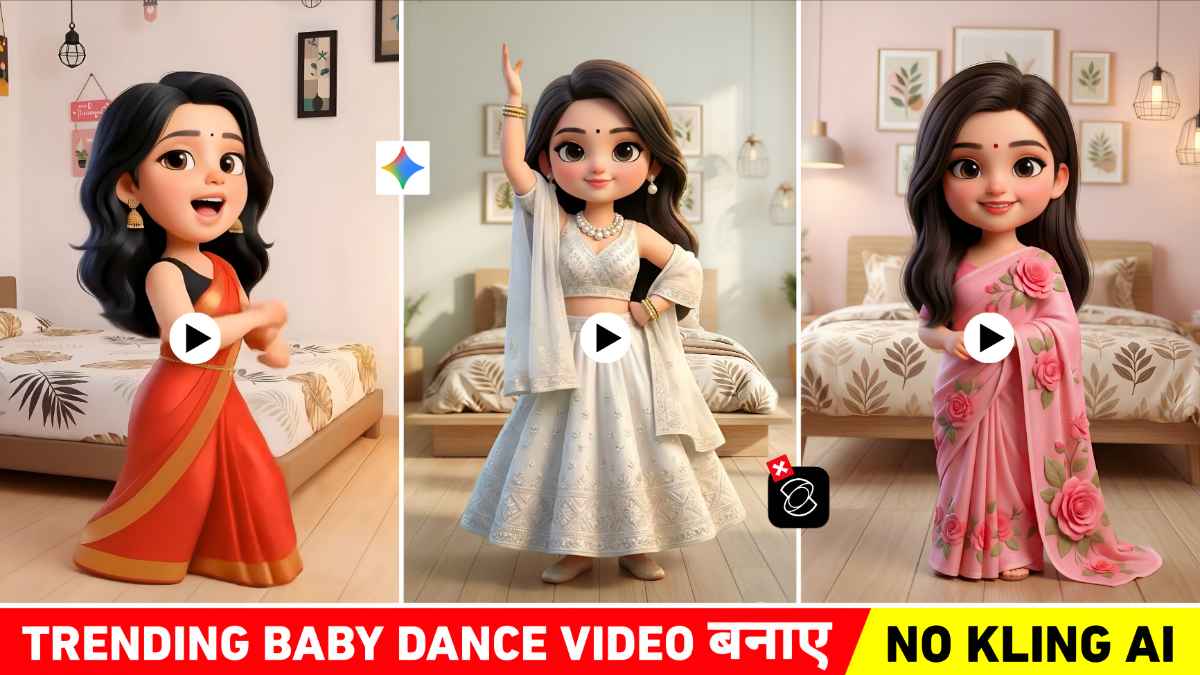
Trending Baby Dance Ai Video Editing Prompt – For the past few days, a particular type of Ai generated baby dance video has been going massively viral on social media platforms like YouTube Shorts, Instagram Reels, and Facebook Reels. In this viral trend, we’ve seen that a person’s photo is first transformed into a cute baby girl or baby boy cartoon, and then an Ai video is created of that baby character dancing. Many people are telling different ways to make such videos. We first saw this trend on Instagram in a video of a girl who initially appears in a normal video but suddenly transforms into a cartoon baby in just a few seconds. The baby then starts dancing to the beat of the music which looks quite funny and captivating. And this video went so viral that you wouldn’t believe it. Inspired by this video people started thinking about making their own videos. In this article, we will provide you with step-by-step prompts to create this viral Baby Dance Ai trend, so you can easily make such a video yourself.
Trending Baby Dance Ai Video Editing Prompt
To create this viral Baby Dance Ai video, you first need to convert your or any photo into a baby cartoon-style image. You can use Google Gemini Ai for this. With the help of a suitable and detailed prompt, any photo can be transformed into a cute baby girl or baby boy. So we’re going to give Gemini a prompt to create a photo that looks exactly like this one. The next step is to turn that image into a dancing video. For this, you’ll need to use an image-to-video Ai tool, such as Flow Ai. Many people claim that you can create videos using the Kiling Ai website, but that’s not true at all. Similarly, by entering a good “Baby Dance” prompt in Flow Ai, you can make the baby dance with realistic movements, expressions, and in sync with the music beat. You will also need prompts to create videos, so we are providing prompts for video creation as well. So that you can easily create this viral trend without any editing skills and make it go viral on social media.
Baby Dance Ai Photo Prompt


How To Create Baby Dance Ai Photo Using Gemini Prompt
So, as you just saw, we’ve provided prompts for creating two types of baby dance photos: one with a room background and the other using the realistic background from your original photo. Simply copy the prompt for the type of image you want to create. Now, let’s show you step-by-step how to use that prompt with your selfie photo in Google Gemini.
- First of all open the Google Gemini website or app on your mobile or laptop.
- Go to Gemini and click on the “Create Image” section there.
- Now upload a clear, high-quality selfie or portrait photo. Make sure your face is clearly visible.
- Copy any prompt from the list in this article for the New Year 2026 photo style you want to create.
- Now paste the copied prompt into the prompt box of Gemini.
- Just click the Send button now Gemini will create your New Year 2026 Ai photo in just a few seconds.
- Download the photo you like best and save it on your phone.
How To Create Baby Dance Ai Video Using Flow Ai?
People are sharing how to use Google Gemini to create baby dance photos for YouTube and Instagram. For videos, they recommend different AI tools. Some are suggesting Kiling Ai, while others are mentioning the Higgsfield Ai tool. But what’s happening is, some people are able to create videos, while others aren’t. So, we’re going to show you how to create a baby dancing video using Flow Ai. We’ll provide a prompt right below this image, which you can copy.
Baby Dance Video Prompt

Conclusion
Friends, in conclusion, I would just like to say that the Trending Baby Dance Ai Video has become the fastest-growing viral content on social media right now. If you also want to create a video based on this viral trend, then this trending Baby Dance Ai video editing prompt could be the best option for you. The main highlight of this trend is using Google Gemini to transform photos into cute baby cartoon style. Then converting them into dancing videos using image-to-video tools like Flow Ai. By understanding all the methods described in this article, you too can easily create and upload similar videos to Instagram. If you face any issue, comment below or watch our YouTube video