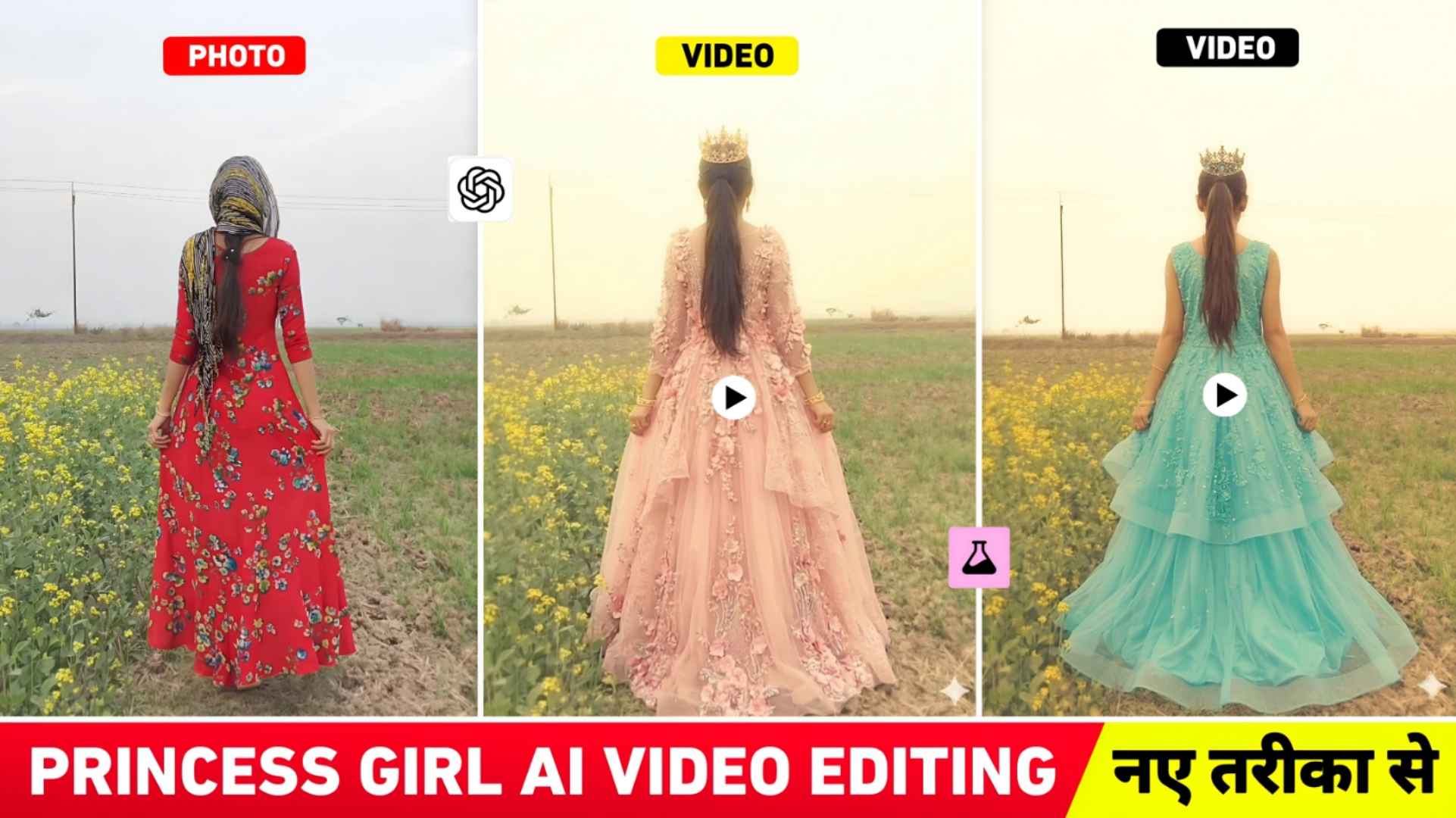
Princess Girl Ai Video Prompts – A few days ago, there was a huge trend going on for girls on Instagram. Of editing in which all the girls were making photos wearing dream lehenga through AI and posting them on Instagram and do you know. Now another girls’ trend similar to this has arrived. In which all the girls are making princess type videos and sharing them on Instagram. In which the girls wear lehengas while walking in their videos and look complete like princesses. Every girl is currently thinking of making such viral videos. Keeping all these things in mind, today’s article is related to this, in which I thought why not give you information about making such viral videos. In this article, we are going to tell you about making the same princess AI video which is currently trending. What kind of prompt should we use, which AI tool should we use, we will tell you everything. Not only this, how should we record our video to make a princess video. We will share everything with you.
Complete Guide Trending Princess Girl Ai Video
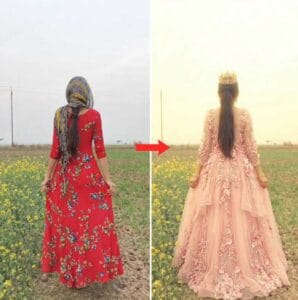
In all the princess videos that are viral, I have seen that the girls first record the video from behind while walking, that is, their face is towards the front and the camera angle is from the back. She walks forward for a while and suddenly a transition effect occurs in the video. After that the entire look of the girls changes in which she wears a lehenga. She also wears a small crown on her head and keeps walking in slow motion. This type of video is going viral which is being called Princess Girl AI Video. The background music used in this video is the song Toota Jo Kabhi Tara. Which is sung by Vaibhav Yadav. To make such viral videos, we have to first record our video and take a screenshot from it and wear the lehenga in that screenshot through chatgpt. That means the complete princess look has to be given through AI prompt. Then you have to make a video of the photo made with chatgpt and merge both together through an editing app. Our recorded videos and videos created by Ai.
The song also has to be added in the editing app itself. We have to apply a nice transition effect between our recorded video and the video made by me so that the video matches perfectly. Some people are also applying butterfly transition effect which you can easily apply with Capcut app.
How Should We Record The Video For This?
To make a princess video, recording the video is also a big task because if you record the video well then your video will be different. First decide whether you want to record the video outdoors or in Indore. Whenever you record your video, set your phone in a tripod and record the video in portrait size. After starting the recording, first you have to show your face a little and then move around in a round, after that keep moving with your face backwards. Don’t walk too fast. Have to keep moving very slowly. Lastly, you can also place your hands on your waist. If it doesn’t happen in one go, you can try again. If you want, you can record this type of video even outdoors where there is more space. Otherwise, you can easily record such videos on the rooftop of your house also. It would be best to record it on the rooftop itself because the first video that went viral was that of the girl on the rooftop of her house.
Princess Girl Ai Photo Prompt
How To Create Princess Girl Ai Video Using Prompts?
To create an AI video with a princess, first open your recorded video in the gallery and watch it carefully. In the video, stop the video at the place where your face is turned back and your hands are on your waist and take a screenshot. Now put that screenshot photo in chatgpt and we have given a prompt. Copy that prompt in paragraph four and put it in the chatbox and send it. chatgpt will make that photo in a complete princess look in some time. Now save the photo created by chatgpt and to convert that photo into a video, we have shared a prompt with you in this paragraph. Copy that prompt and click on the Create Video button. After clicking on the Create Video button, you will go to Flow Ai’s website. Login there with your Gmail and click on create video with flow option and select New Project option, then click on Nano Banana 2 option, click on video option and select portrait size.
Princess Girl Ai Video Prompt
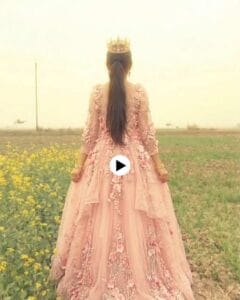
Now click on the plus button at the top, click on the upload image icon and add the photo created by chatgpt from the gallery. Then click on the Start button, select the same photo and enter the video making prompt in the chat box. And click on send button on the right side and wait for some time, the video will be created. Watch the video by clicking on it and save the video by clicking on the save button at the top.
Add Two Videos Together Using A Editing App
To join the two created videos together, you have to use any video editing app like Capcut vn Inshot etc. First you have to add your original video. Which you have recorded yourself. Then the video created by AI has to be added. A nice transition effect has to be applied between both the videos. You will find a lot of transition effects that match your video perfectly. You can apply it as per your choice. After that, you have to save the background music that we have mentioned from Instagram, add it there and then save it in your video. Your video will be completely ready.
Conclusion
Currently, princess AI videos are trending on Instagram. We have taught editing related to the same in this in which we have shared the prompt for making photos before chatgpt. Then shared the princess girl ai video prompts to make a video with flow AI. Not only this, how should we record our videos to make such videos. Which video editing app to join both videos together. We have told you everything so I have hope. After telling all this, you must have learned to make princess videos. If you still can’t make it. If you are facing any problem then you can definitely ask us in the comment box.