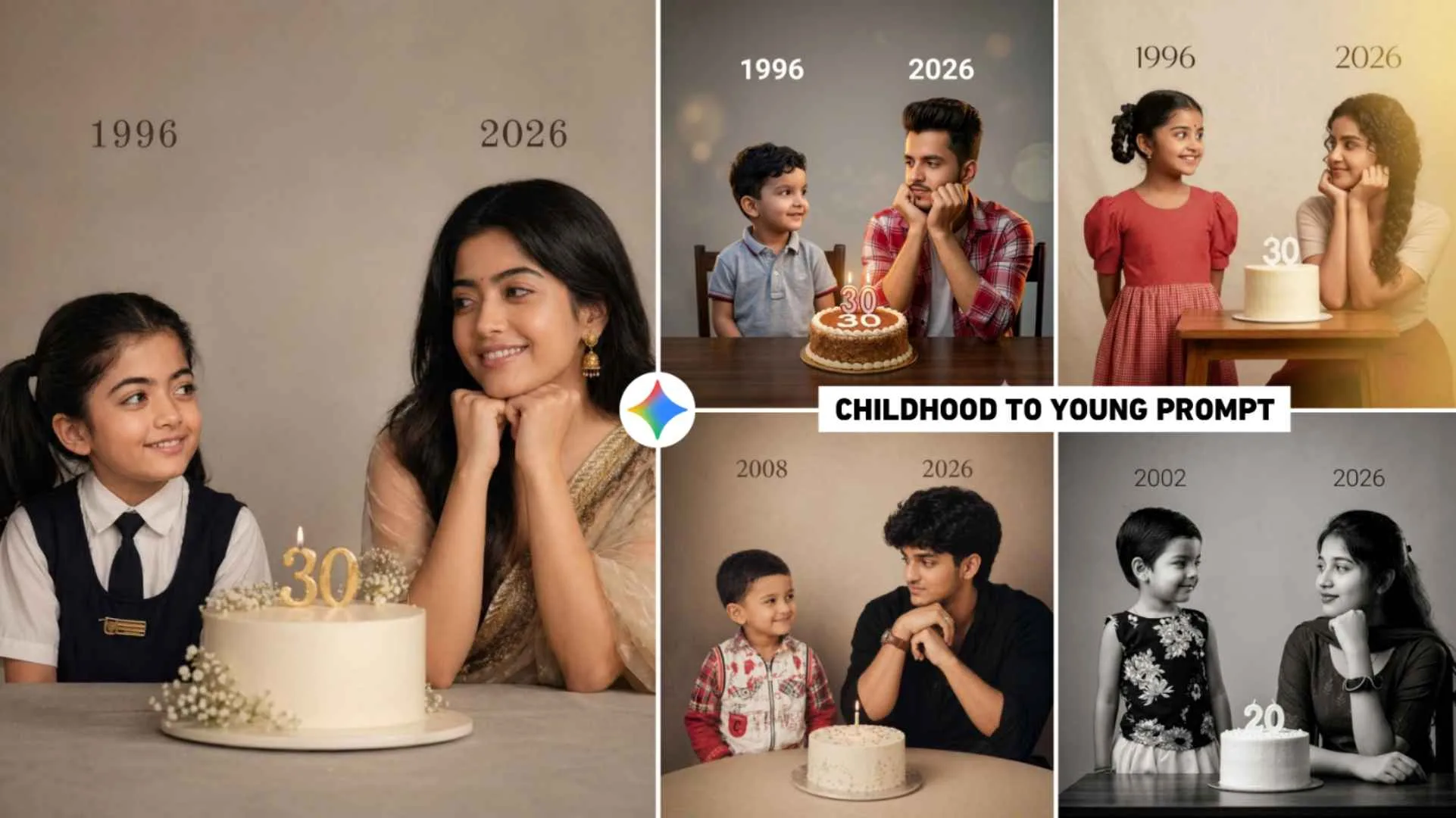
Childhood To Young Ai Prompts – These days, photos made with AI are trending on Instagram. People are uploading new pictures using AI tools like chatgpt and Google gemini which are going viral instantly. I had also told you in the previous article that people are currently creating and sharing various types of cinematic photos using chatgpt, in which collage style photos and kurti style photos of girls are becoming more viral and now again a new type of photo is trending which is related to birthday. In that type of photo, people are showing how we used to look when we were children and how we are now. That is to say, we are making and sharing Childhood To Young Birthday Photo. This is a birthday picture, not only boys but also girls are interested in making such photos because everyone has a birthday one day or the other. In this article, we are going to share the prompt to create some similar photos which can be used to create amazing types of photos by using two AI tools i.e. Google Gemini and Chatgpt.
Breakdown Of Childhood To Young Ai Photo Editing
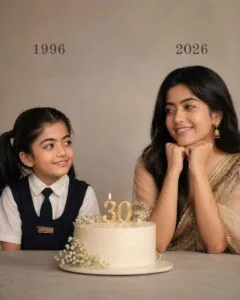
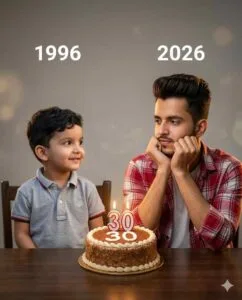
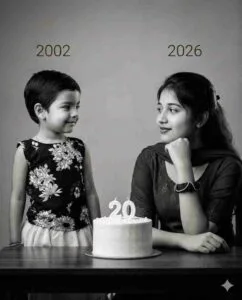
You will see that kind of Childhood To Young Birthday Photo. Different periods of time are shown together. For example, if a girl is making a picture then her child’s photo will be shown in it. On the other hand. A picture is shown of the time when she would have been 3 to 5 years old and on the other hand. The picture shows what she looks like today. On the side where the child’s photo appears, we write the child’s birth year just above it. Similarly, the photo of today’s time also has today’s year written on it. Talking about the theme, a big birthday cake sits right in the middle of both photos. There is also a candle with the girl’s age on the cake. If seen, it is a symbol of how the journey has been from childhood till now. Talking about expression, both the “versions” are smiling looking at each other. Which seems as if his present form is happy seeing his childhood. Talk about editing style in photos. So we keep the background very simple and elegant (beige tone).
Customize The Prompt To Create Your Own Picture
Whatever birthday text, name or age is shown in the prompt that has been shared. It is shown as an example, so whenever you make a photo with the help of those prompts, change all the things given in the first prompt, like change the word 1990 written above the photo of a child, that is, in which year you were born, put it there. You can also change the year written on today’s photo, such as 2026.. Also write the name of the type of clothes you want to wear in the created photo in the prompt. Change the text number of the candle on the birthday cake as per your wish and instead of that, you have to write how old you are. You can customize all these details in the prompt when you enter it into ChatGPT or Google Gemini. If you want to do it in an even simpler way, then first paste the prompt in your phone’s notepad and change everything properly and then copy the prompt and create the photo easily. Let us know in the next paragraph. What type of photo should you use to create the image
Childhood To Young Ai Prompts
How To Create Childhood To Young Ai Photo Using Gemini Prompts?
To create such a childhood to young birthday photo, it is very important for you to have three things. First, take a photo of yourself as a child, from the time when you looked completely like a child. The second photo should be of today’s time in which you are looking well. The third prompt which you can easily copy by looking at the photo in paragraph three. After you copy the prompt and prepare the photo, install the Gemini app from the Play Store because I’ve seen most people make photos with Gemini.
- Open the app and login with your Gmail ID.
- To create a photo, select the Create Image option.
- Click on the media option at the bottom left and add both the photos one by one from the gallery.
- After you add the photo, paste the same prompt in the chat box.
- Customize the prompt and click the Send button on the right side.
- Now Gemini will start creating your photo.
- As soon as you create the photo, click on it and take a closer look.
- If you like the photo, click on the button and save it.
- If the face does not match then upload another photo.
- Similarly, you can use these prompts in ChatGPT as well.
More Instagram Viral Ai Photo Editing Prompts
Apart from Childhood To Birthday Photo, other types of pictures are becoming very viral on social media at the moment. If you need a prompt to create all those types of photos, then you can visit the AI photo editing category of our website. As much as this time. A picture created with AI is going viral on Instagram. We have made all the prompts available on this website. Simply click on the post, scroll down and copy the prompt after seeing the photo. Otherwise, by clicking on the search option, you can easily copy the prompt by writing the name of the photo for which you want to get a prompt.
Final Thoughts
In today’s new ai photo editing article, we have told you which childhood to young birthday photo is currently trending on social media. How can you create it in a single click with the help of AI. In this we have shared different types of prompts to make such photos. It also mentions what changes you need to make in the Childhood to young ai prompts to create your own photo. So, understand the information given as soon as possible and make such photos as soon as possible and definitely post them on Instagram. Similarly, keep visiting this website for AI photo editing or video editing prompts.