Chatgpt Cinematic Prompts – Chatgpt was the first to come up with the idea of creating photos with AI. You must be aware of this and people made many different types of photos with chatgpt, but after a few days the trend of gemini ai came in which everyone started making photos with gemini only. Now the craze of chatgpt is being seen again on social media. Recently, people are creating and sharing many AI images from chatgpt on Instagram, which are going viral very fast. At present, using chatgpt, not only girls but also boys are creating and sharing different types of photos, but the photos of girls are going viral very fast. Right now the most viral image is of collage style, in which girls are making and sharing collage style cinematic photos and many content creators are sharing them. Various types of videos related to this are also being made and shared. Keeping all these things in mind, in today’s new article we are going to share the prompt to make all those types of photos with chatgpt which is currently going viral.
Complete Guide Chatgpt Cinematic Ai Photo Prompts
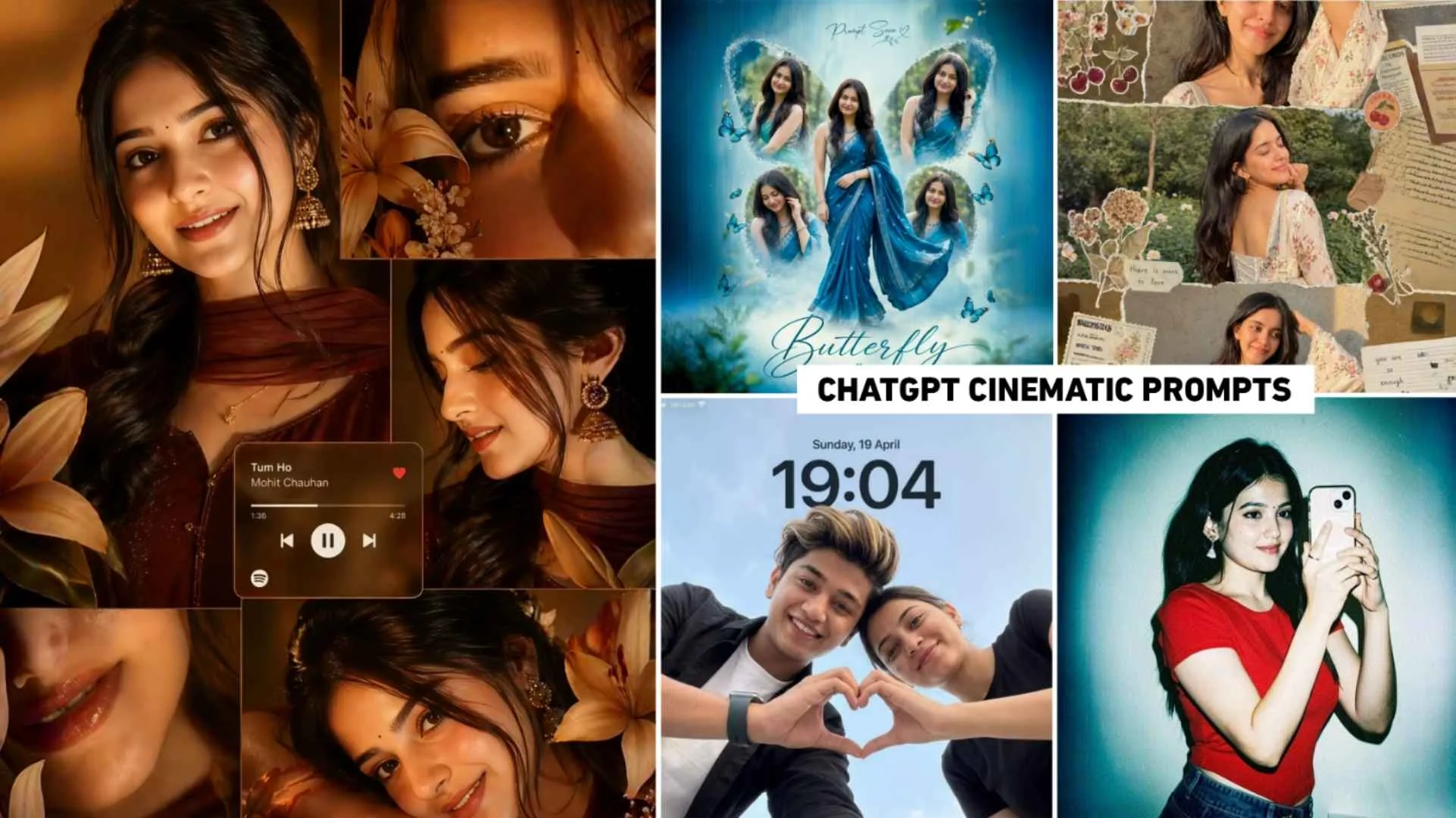
By the way, many images created with chatgpt are currently going viral on social media. But the one that is going viral the most is this image. That is a collage style photo made by girls. Apart from cinematic photo editing, people are also knowing it as college style or music lover photo editing. Apart from this, the lock screen wallpaper photo is also becoming very viral, which people are also knowing as couple photo editing. The third photo of girls with butterfly is also going viral very fast. Also, the photo with a flash light is also trending. What I mean to say is that all the photos people are creating and sharing through chatgpt. In this article, we will share with you the prompt for making all types of photos, with the help of which you can make similar photos and go viral by posting them on Instagram. All the prompts that we will share in this will be given along with the photos so that you can get an idea of which type of photo can be made with which prompt.
What Would The Image Created From The Prompt Be Like?
Look, in this, to create a photo through chatgpt, the prompt of the first photo will be of aesthetic collage style in which the girl will be wearing a maroon colored saree and traditional jewelry (like Jhumka). Talking about the vibe in the photo, it will be very romantic and “classic cinematic”. Warm, golden lighting (sunlight) has been used in that photo which gives a natural glow to the face. There will be a music player interface in the middle of the image. In which Pritam’s song “Tum Mile” plays. We will see in the second photo. The girl is shown in the form of a butterfly. Which looks like a creative graphic editing. In that photo the girl might have been wearing a teal (blue-hare) colored saree. There are wings of a titli behind the girl and different faces (frames) would be visible on the wings of those wings. The prompt of the third photo is of Wallpaper type.
In this, a boy and a girl will be looking at the camera from above (low angle shot). Both of them together must have made a “Heart” shape with their hands. The rest of the prompt of the photo is similar. You can make photos using all of them and see them.
Chatgpt Cinematic Prompts


Cinematic Photo Prompt


How To Use Chatgpt Cinematic Ai Photo Prompts?
Install chatgpt from play store to generate photo with the help of given prompt. If you want, you can also make photos using the website. But it would be much better with an app. That’s why install the app. Then login into it with the help of Gmail ID. After login, select Create Image option and click on Plus button at the bottom and click on Photos. Upload a good quality photo of yourself there and put it in the prompt you have copied in the chat box. Click on send icon and wait for about one minute. Your photo will be ready. If it takes more time then you can see it by clicking on the three dots above and going to the image option. If you edit the created photo a little with an editing app, the photo will look even better. That’s why, for example, use the Lightroom app to adjust the lighting a little in the photo, such as increasing the brightness, increasing contrast, and increasing saturation. Customize everything as per your choice and then share it on Instagram.
Conclusion
In the end, I would like to say this much, and that is in today’s new article, we have shared the prompt to make all types of photos like the cinematic photo made by ChatGPT, which is currently going viral on Instagram. Be it collage style, butterfly, or lockscreen wallpaper, in addition, in this we have given complete information about all types of images, including which type of photo can be created with which prompt or what kind of photo will be created. Mostly college style music lover photos are becoming quite viral right now. That’s why I will say this much. Use the prompt I have shared here and create a similar photo with your photo as soon as possible and share it on Instagram. Follow us on Instagram or YouTube for more editing tutorials.