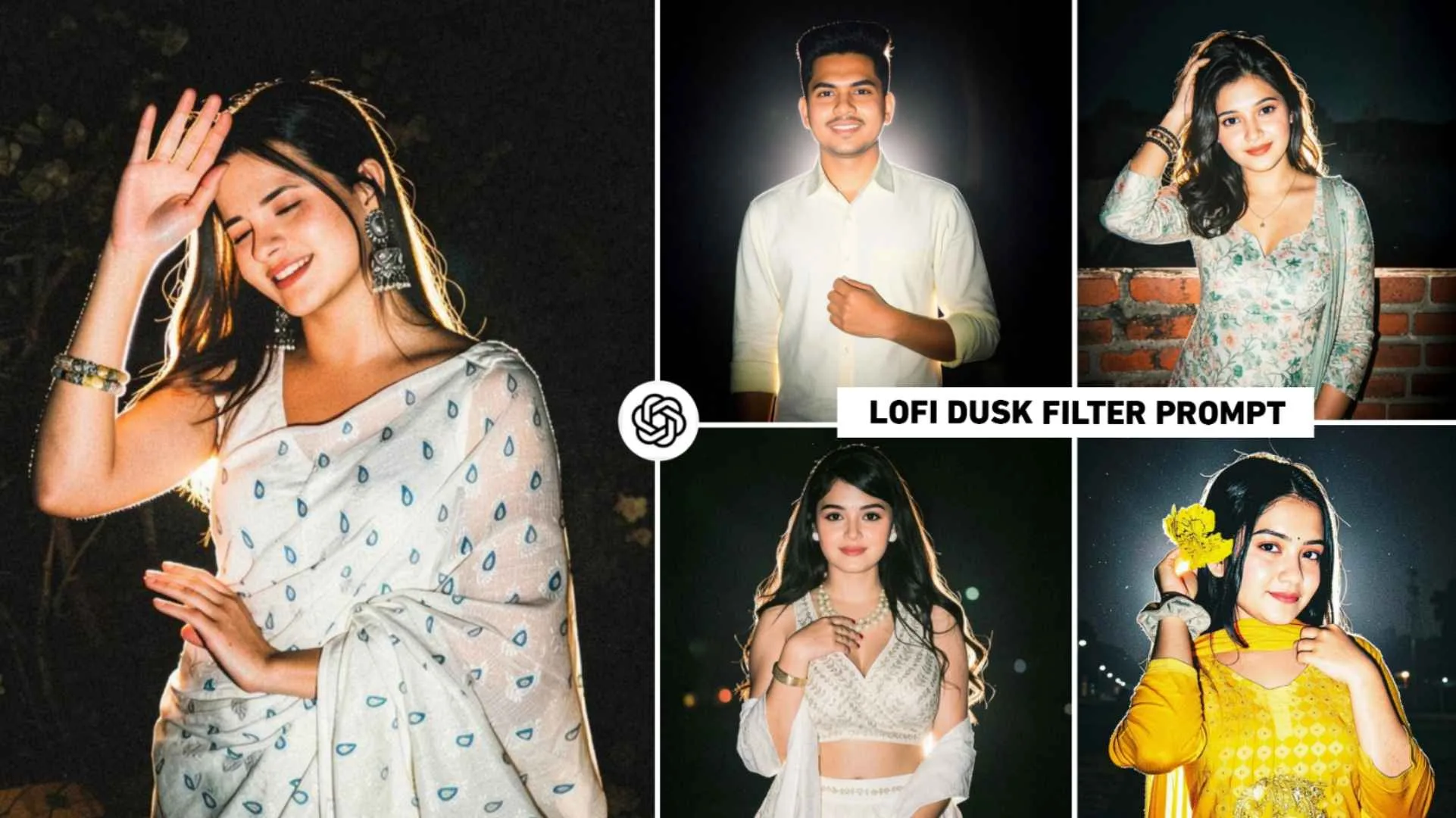
Lofi Dusk Filter Prompts – People use different types of prompts to create photos through chatgpt and gemini so that their photos can become good. Instagram is also no less than anyone in terms of creating photos with AI. Recently a restyle option was added to Instagram, using which people are creating different types of photos. Maybe you remember. A few days ago, many people had created a photo using the filter available in Restyle of Instagram, which was being known as flash light photo editing on social media. A few days ago, a new filter has been added in the restyle of Instagram, using which people are creating pictures which are going viral very fast. At present that type of editing is known as Glow Effect. Some people are also calling it Lofi dusk filter photo editing. This is because the filter that has been added to Instagram is by the name of Lofi dusk. Many people are doing that kind of photo editing using Instagram and there are some people who want to do it through chatgpt and are looking for a prompt, so in this article we are sharing the same prompt with you.
Information Lofi Dusk Filter Ai Photo Editing
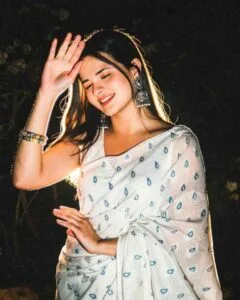
Whether you create the same trading photo with the help of Instagram filters or with the help of the prompt given by me. You will see the same thing in the photo. A nice rim light appears in the background. Like if I have made a photo of a girl. So, this is what you will see in it. A golden glow forms around the girl’s hair and shoulders. Which makes it stand out from the dark background and gives it a premium, cinematic look. Talking about lighting on the face, it remains very soft and even. Due to which the skin tone looks very natural and the features appear clear without any harsh shadow. Whenever you create a photo, you will see that no matter what kind of background your photo has, after editing it will become completely dark and clean. The entire focus will be only on the subject, along with the clothes you are wearing. No matter what kind of background your photo has, when you create such a photo by applying a filter or using a prompt, the background will become completely black.
Instagram Restyle Something Went Wrong
Whenever you apply any filter to your photo using the restyle given in Instagram, we often see the problem of something going wrong there. The main reason for this is that you can make only five to six photos in a day with one ID. After that, if you go to make a photo, you will definitely see the problem of something went wrong. Because this feature is not free right now and has limitations. Can make only a few photos in a day. Then you have to try again the next day. It can also happen that Instagram stops processing for a while when continuously generating more AI photos. So that the load on the server remains less, wait for Fiveteen to Sixteen minutes and try again. Even if it doesn’t work, try the next day. Do not make too many AI edits at once because many accounts have a daily or hourly hidden limit. If you have multiple Instagram IDs then you can create Lofi Dusk photo from different IDs. This could also be the problem of something going wrong.
That the AI Restyle feature is not yet completely stable and Meta tests the feature by imposing a hidden trial limit on many accounts. Therefore, after every three to four photos, give a little gap and refresh the app.
Lofi Dusk Filter Prompts

How To Use Lofi Dusk Filter Ai Prompts In Chatgpt?
Which I have shared in this prompt. You can create a photo like Lofi Dusk filter by using it in ChatGPT. You can do all this very easily. Copy the prompt carefully. I am saying this because the prompt is a bit big, so if you miss even one text there is a possibility that your photo will turn out something different. If you want to create a photo from the ChatGPT website, then in paragraph four we have given a button named Create Photo with a prompt which will be red in color. By clicking on which you can go directly to the ChatGPT website and create a photo. Whereas if you want to make a photo with the help of the app. So install the app from Play Store. Then select the Create Image option and paste the prompt into the chat box. Click on the media option and add one of your photos. As soon as you click on send option. Wait while the system creates the photo. Once the photo is ready, you can click on it to save it.
Make Lofi Dusk Photo Editing Using Instagram Filter
To create photos with Lofi Dusk or glowing effect using Instagram filters, update Instagram from Play Store. This is because if you do not update, the Lofi Dusk filter may not be visible in the Restyle tool. After updating, open Instagram and from where you add photo reels or stories. Go to that option and select the Story option and add any photo from your gallery. An option of Restyle tool will be seen on the right side. Click on it and go to the backdrop category and apply lofi dusk filter. Within some time, your photo will be created with the same glowing effect. After the photo is created donate. Save the photo by clicking on the download icon.
Overall
Overall, in this article we have shown you how to do a new kind of photo editing. Told about the same. Must have seen on Instagram recently. Many people are creating photos by applying a glowing effect to their images using Instagram filters and ChatGPT lofi dusk filter prompts. In this article, we have given complete information about creating such a photo using Instagram filters along with chatgpt prompt. This article also includes the prompt used for it. Many people sometimes face the problem of ‘something goes wrong’ while creating photos using Instagram filters. It also gives information related to that.