Ganesh Ji Vn Code – Apart from India, the festival of Ganesh Chaturthi celebrated in Mumbai is very near which is being celebrated by the devotees on 14th September this year in 2026. As soon as the festival of Ganesh Chaturthi arrives, there is a lot of enthusiasm among the people. Often seen on social media in today’s generation. Apart from celebrating the festival, people also upload content related to that festival in various ways on social media. Like many people make photos by adding their own picture with Lord Ganesha and many people make videos. According to the knowledge one has, he creates a video or photo and shares it, which becomes very viral. The festival of Ganesh Chaturthi is about to come. About a week left and I looked on social media especially Instagram. There is a video coming soon. Which is trending a lot. People are making and sharing that type of video using their full body photo. In today’s article, we will learn about the same type of editing and how you too can make a similar video. In this article we will tell you complete information about making that kind of video.
Complete Guide Viral Ganesh Ji Video Editing
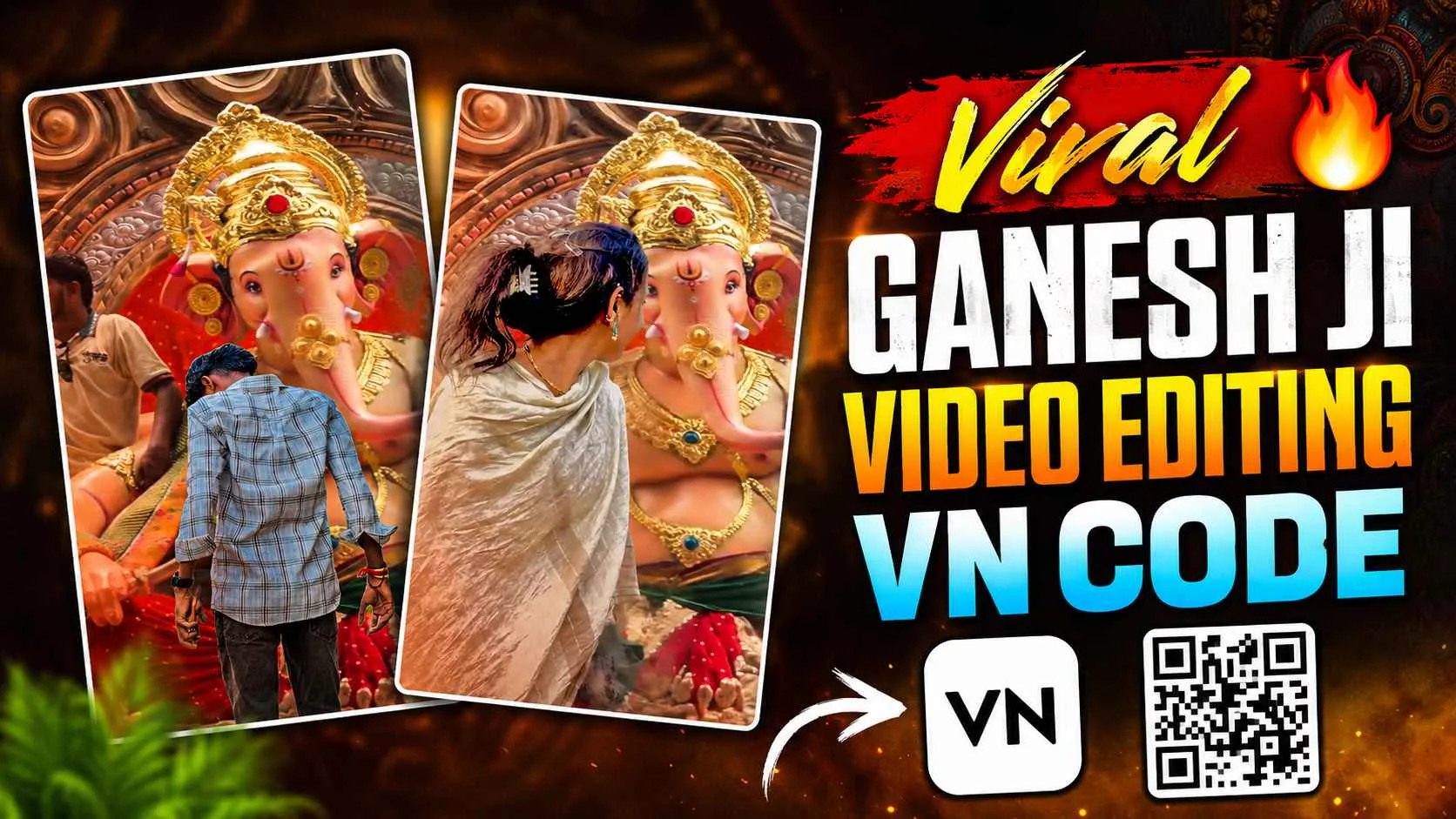
In the viral video, you will see that people are carrying a big idol of Lord Ganesha on a big vehicle and some people record the scene from the window of their house by keeping the camera stable. As soon as the idol of Lord Ganesha arrives, the video becomes slow motion. Someone has just recorded this video on social media and uploaded it with his own song effect, which has become so viral in a few days that you don’t even need to ask anything. As of now, that video has received more than 25 million views. Now people are saving the same video in their devices and editing it by adding photos and videos as per their choice, like in the viral video which is trending at the moment, it is seen that as soon as the idol of Lord Ganesha comes in the frame of the camera. Similarly, by sliding from the bottom, your full body photo is moved upwards through animation and a text is placed at the top. “Just waiting for you.” This text is written in Hindi, just below it is written in English I am Waiting For You.
The main reason for this video going viral is because of the background music used in it. The song Tum Tak has been used which is a perfect match for that video. In this article, we will tell you two ways to make such a video, first with the help of Vn Qr code in which you can create the video in a single click by just adding your photo clip and second with the help of manual editing app.
How To Create Manually Viral Ganesh Ji Video?
To make such a video manually, whatever video editing you like which is very easy to use, first take that editing app in your phone, like there are many such editing apps like Vn, Capcut, Inshot, you can use all these to make such a video, then now save the same original video which has been uploaded on Instagram. Now first add that video in the video editing app and go to the layer option and as soon as the idol of Ganesh ji comes into the camera i.e. comes in the frame of the video, add your photo there. After adding the photo, select the Remove BG tool and remove the background of your photo then click on the animation tool and select slide up animation. Then place its controls according to the video. Now whatever text you want to write by going to the text option, you can write the text as per your choice there. Like coming, soon etc. you can write as per your requirement. Apart from this, we do not have to add background music in it because background music will already be available in the video you have saved.
Ganesh Ji Vn Qr Code

Create Viral Ganesh Ji Video Using Vn Qr Code
It is much easier to create such a video through vn QR code or vn template. First of all, keep a good quality photo of yourself ready. What to do now after keeping the photo ready. Install the VN app from the Play Store. After installation, you will find a scanner icon just above the New Project option, click on it and select the same template or qr code from the gallery that we have provided in this article. As soon as you select the template, the same video will open. There you will find a button named use template, click on it at the bottom and after adding your photo clip to it, as soon as you click on the next button, your video will be ready. If you want to add anything to it as per your choice, you can do it manually. When it seems that our video is finally ready, then by clicking on the export button. We can easily save our video in the device and before uploading it on social media, upload it by adding the same background music which is going viral for such videos at the moment.
Final Words
Those who are thinking of making a coming soon video related to Ganesh Chaturthi festival. Those who have already seen the video on Instagram and are thinking of making a similar video. Then today’s article is going to be very special for them because. In this article we have given complete information. How to make that kind of video. We have told two methods, first manual and second short method. You can do whatever feels right as per your convenience. With the help of the methods and tax codes that we have given here. You can create such videos in just a few minutes. So create such videos as soon as possible using the given template. Qr code and go viral by uploading the video. On your Insta ID before Ganesh Chaturthi arrives.