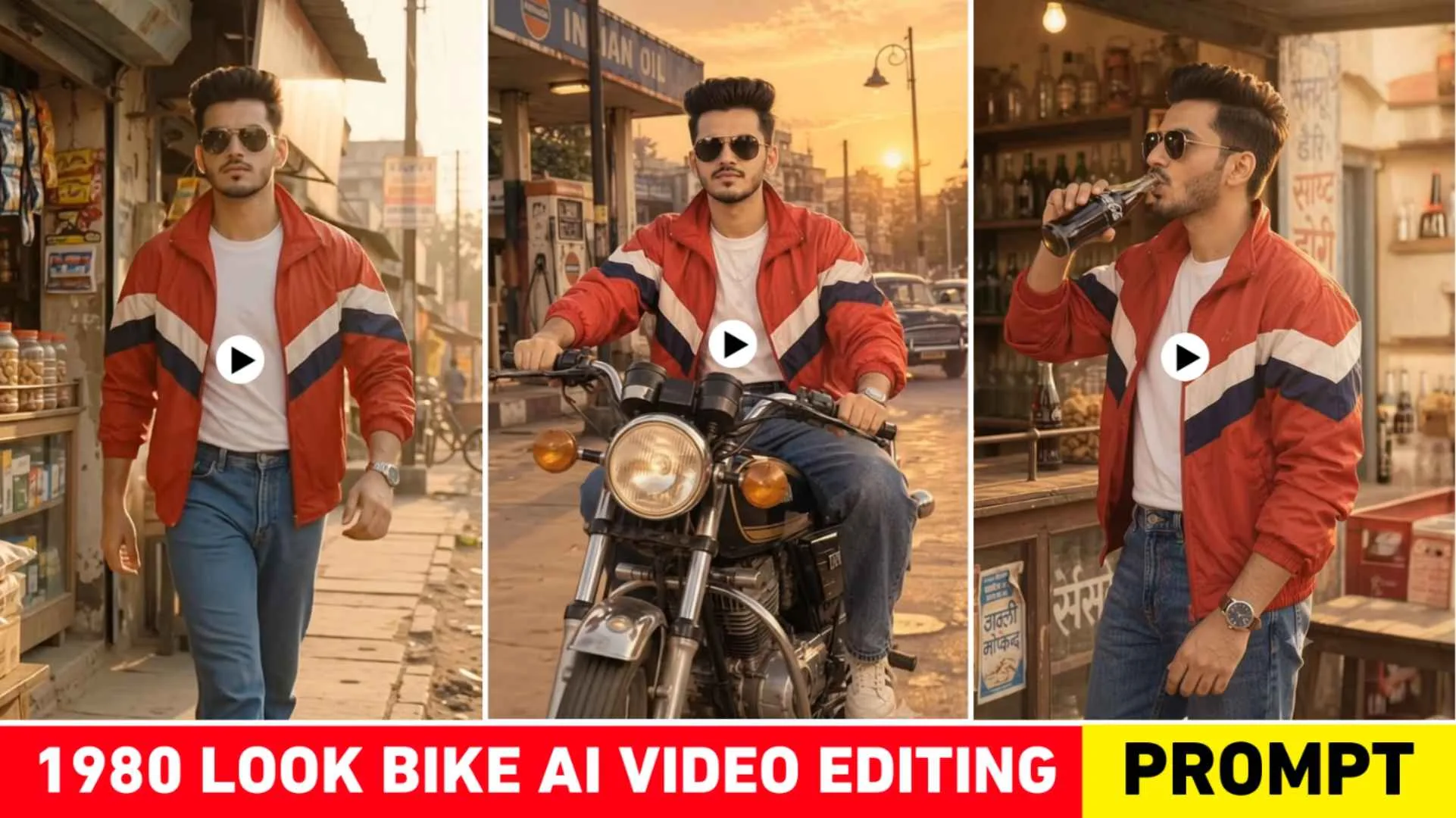
80s Bike Video Prompt – I told you in the lost article that an old photo from 1980 is going viral right now. That photo is no longer limited to photos but people have now started making videos as well and we had also told you about making a viral video in the previous article. But now we have seen that a new type of old video is going viral on social media very fast, which is currently known as 80s Look Bike Ai Video. In the video you will see a boy wearing 1980s clothes and dark glasses riding an old Yamaha motorcycle. He passes through the old market, stops the motorcycle in front of a shop, drinks a cold bottle from the shop and then moves ahead with the motorcycle in the same style. Watching the video, it seems as if it is a scene from an old movie. In today’s article we will talk about exactly how to make such viral videos. To make a video, we have to first make a photo. Then the same photo will be made into a video with the help of Flow AI. We will explain everything very step by step.
80s Bike Ai Video Editing Complete Guide
If we watch that video carefully, a young man, whether a boy or a girl, looks like an old film hero of the 1980s. He is wearing a red old style jacket. Whatever photo you make, you can also change the clothes as per your choice. The video starts with the young man riding an old Yamaha motorcycle. He comes riding a motorcycle leisurely through the dusty market road. On both sides, old houses, shop boards, old vehicles and people roaming in the market are seen. After this he stops the motorcycle in front of a small old shop. The shop is a grocery store in which different types of chips, crisps, cold co-drinks like Sprite, bottles of Coca Cola RTC, all this are sold. Gets down from the motorcycle and goes to the shop and drinks a cold drink from a glass bottle. After this he comes out of the shop, walks on the road for some time and then comes back to his motorcycle. At last he takes the motorcycle and again sets out on the same old market road.
When people create videos using Flow AI, they create different types of videos by changing the text as per their choice. You can also do this when you make a video with Flow Ai, you can get it done by writing a text 80s Bike Video Prompt as per the scene you want. Look, we have given two different types of prompts to make such videos. Have to make video using both. Then later, both the videos have to be joined together in the editing app and old-time songs have to be added in it so that the video looks completely like the 1980s.
How To Create A Photo First To Create A Video?
You must be aware that to make any kind of AI video, we first have to make a photo associated with it. We cannot make a video without photos. So the scenario of making a video like that of the 80’s is similar that first we have to make a photo. Only then will we make a video using photos only. You can take the help of chatgpt to create photos. Simply install Chatgpt App from Play Store and login with your Google account, first select Create Image option, then add your photo in ChatGPT and tell that you want it to appear as 1980s. Also tell that the picture needs an old Yamaha motorcycle, an old market street, clothes of that time, glasses and an old-time atmosphere. If you are not able to write the prompt as per your requirement, then we have given a complete prompt for making a photo in paragraph four, using which you can make the photo easily. When the picture is ready, save it in your mobile.
Photo Create Prompt
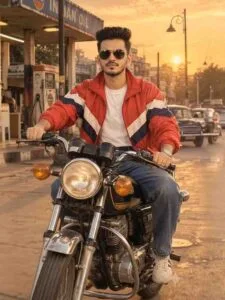
Create 80s Bike Photo To Video Using Flow Ai Prompt
Look, in today’s time it has become much easier to make a video from any photo. There are many AI tools available with the help of which we can easily convert any image into video. But most of the people take the help of Google Flow to convert any photo into video because it creates a very beautiful video. In HD quality and with sound. That’s why we will take the help of Google Flow AI to create this type of video.
80s Video Create Prompt
2nd Video Prompt
To make a video, open any browser and search by typing Google Flow in it. First open the website and login to it with your Google account. Then select New Project option and select Video option instead of Nano Banana 2 option and choose 9:16 ratio. Now click on the plus button on the left side and upload the photo. Created by chatgpt with the help of media option and paste the 1st video prompt in the chat box which we have given in this paragraph. After testing the video prompt, click on the generate button. Your scene 1 video will be ready. Similarly, using the second prompt, make the video of Scene 2. When you finish creating both videos, save them first. In your device and then open any editing app and add both the videos. Together and easily make the video even better by adding 1980’s era song as per your choice.
Final Thoughts
In today’s article, we have given complete information. About making exactly the same type of video which is going viral on social media. We have earlier told about creating photos with the help of chatgpt. Then with the help of Google Flow, information is given on how to convert the same photo into a video. I hope you have also shared whatever photo and video 80s Bike Video Prompt will be used for such editing. By understanding all the information given by us, you would have easily created such a trend. If you still have any problem then you can ask us in the comment box. If you want to see the complete editing video related to this, then you can connect with us on Instagram.