Motu Patlu Ai Video Editing – Friends, maybe you know. On this website, all kinds of information related to editing done on social media, especially Instagram and YouTube, is shared. Be it Instagram or YouTube. At both the places, if there is a trend of any kind of photo or video created by AI, then I definitely keep sharing the editing, tutorial or prompt related to it on this website. If you like watching videos related to editing on YouTube, then you must have seen a video made by Ai which people are knowing by the name of Motu Patlu Ai Vlog Video. Can’t believe it. At this time, everyone likes to make Motu Patlu Ai Vlog video and every creator is thinking of making such a video, but due to lack of correct information and editing tutorial video, they think of making such a video, but are not able to make it. I am a content creator like you all and I also teach people about editing and everyone understands my editing videos well. Keeping this in mind, in today’s article we will talk about how to make a similar Motu Patlu Vlog video.
Motu Patlu City & Village Explore Ai Video Editing
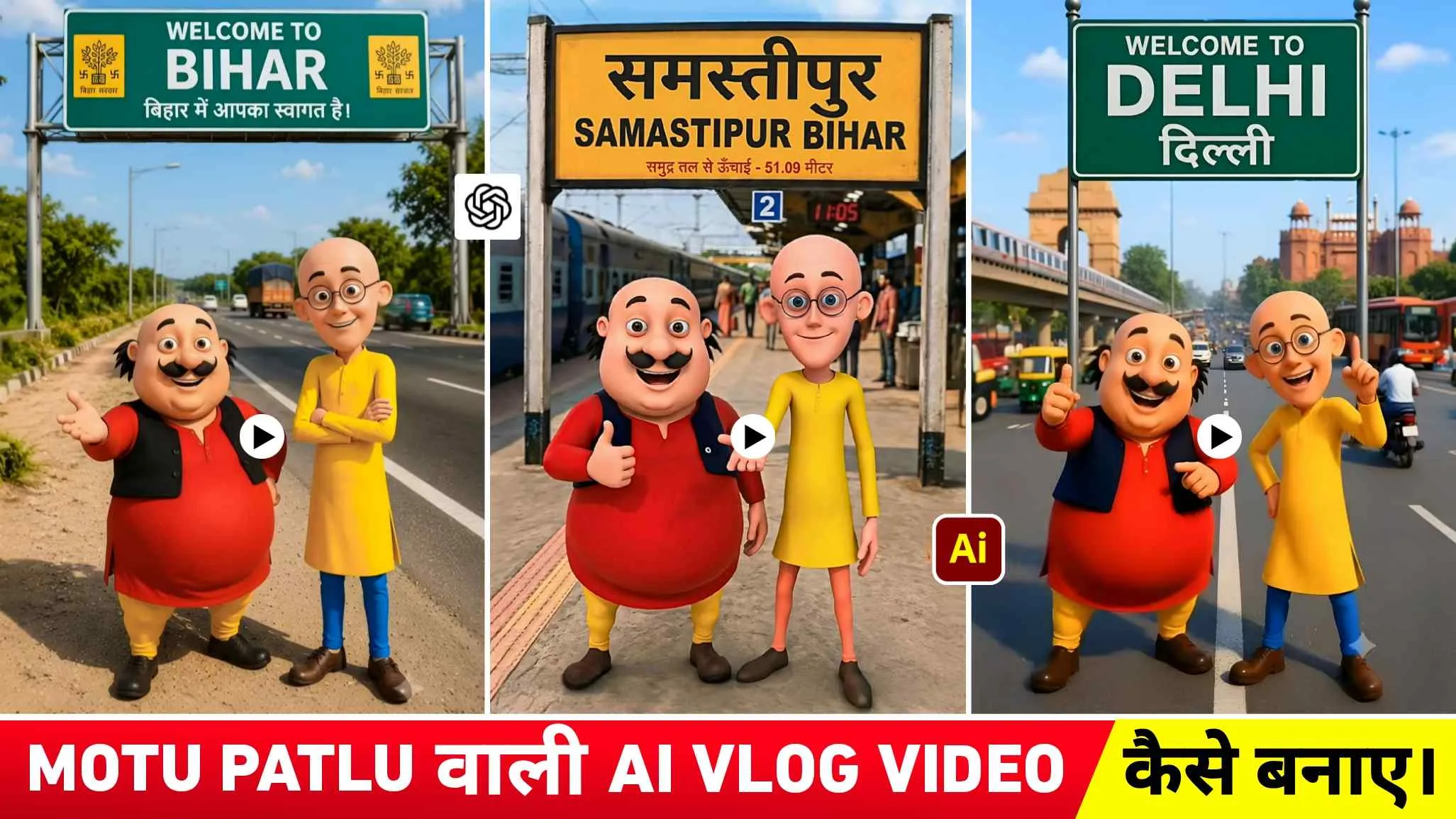
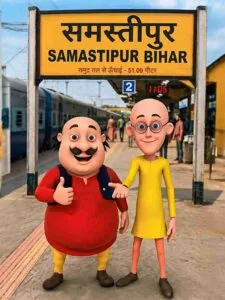
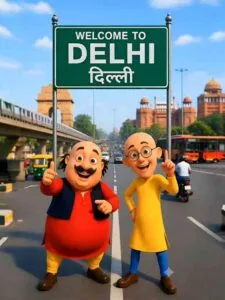
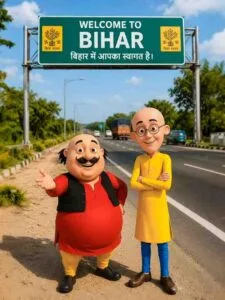
If you have already seen that type of Motu Patlu Vlog video, then it is good. If you haven’t seen it, let me tell you. To make that kind of Vlog video, first people make a picture of Motu Patlu. In which the background can be kept as per one’s wish. Like the railway station, the city, the village. The main thing in the photo is the text written on the board, that is, if people are making the photo in the background of the railway station and the name of the station is written on the board at the railway station, then instead of that, people write the name of their city or village. Most of the people are thinking of making such Vlog videos because of the name of their city or village. When the photo is made, then to make a video of that photo, using Image to Video or the option of making video given in Gemini, we discuss a little about our village with Motu Patlu like, Hello friends, I have come to Samastipur city today. The people here are very nice. Today I will eat hot samosa from Samastipur city.
Create Motu Patlu A Photo Of Your City Or Village
As I have already mentioned, to make a video like that of Block, first we have to make a photo with the help of AI. To create photos you can use Chatgpt or gemini. That’s all that needs to be done. We have uploaded such photos in paragraph four, which should first be saved by pressing Hold and Press. If you want to save all the photos in HD quality, then we have given a text named Save To Hd Quality. In paragraph four itself, which will be of red colour, by clicking on it you can save all the photos in HD quality with the help of Google Drive. After saving the photo, we have also given a prompt in the same paragraph to copy it carefully first. The prompt includes a lightly bolded village or city name. Copy the prompt and open any Ai Tools like chatgpt, upload your Motu Patlu wala photo that you have saved in it and paste the prompt.
In the chat box and instead of the city or village name, write the name of your village or town there and send it as soon as you want. The name of your city or village will be written in the photo of Motu Patlu. Similarly, whatever such photos of Motu Patlu you see on social media, you can take a screenshot of them and change the name in them just like that.
Motu Patlu Ai Prompts
How To Create Motu Patlu Ai Video Using Flow Ai?
After creating the photo, many people use different AI tools to create the video. Most of the people are making videos using the generate video option in YouTube Create app, while some people are making videos using the video option in Gemini. Only those people who have subscribed to Gemini can make videos with Gemini. To get better and good results, some people are also using Flow Ai. So in this I am telling you about making Motu Patlu Vlog video of the same image with Flow Ai.
Motu Patlu Ai Video Prompt
Search by typing Flow Ai in any browser. Then first open the website and click on Create With Flow option and login with your Gmail account and click. On New Project option and instead of Nano Banana select the video option. Select 9:16 Ratio and select the frame option. Now at the bottom you will get a start option. Click on it and whatever you have created Motu Patlu wali photo. Upload the photo with the help of upload icon. Now in the chat box, write the prompt according to whatever you want to call Motu Patlu in the blocked video. You can take the prompt from Chatgpt, otherwise you can create it yourself. If you are not able to understand how to write a prompt. Then we have also shown a prompt in this paragraph. Which you can guess by looking at it if you want. As soon as you paste the prompt in the chat box, click on the send icon. Flow Ai will create that kind of video for you. After creating the video, tap the Save button to save it to your device.
Conclusion
If you’ve come to our website hoping to make a Motu Patlu video, you’ve come to the right place. In this article, we’ve provided complete information on how to make a Motu Patlu video that’s currently going viral online. By knowing the methods mentioned in this article, everyone can easily make such viral Motu Patlu vlog videos. We’ve also shared some prompts, one for photos and one for videos, so be sure to use them once. Apart from this, if you want to see its editing tutorial video then definitely visit our YouTube channel and watch it.