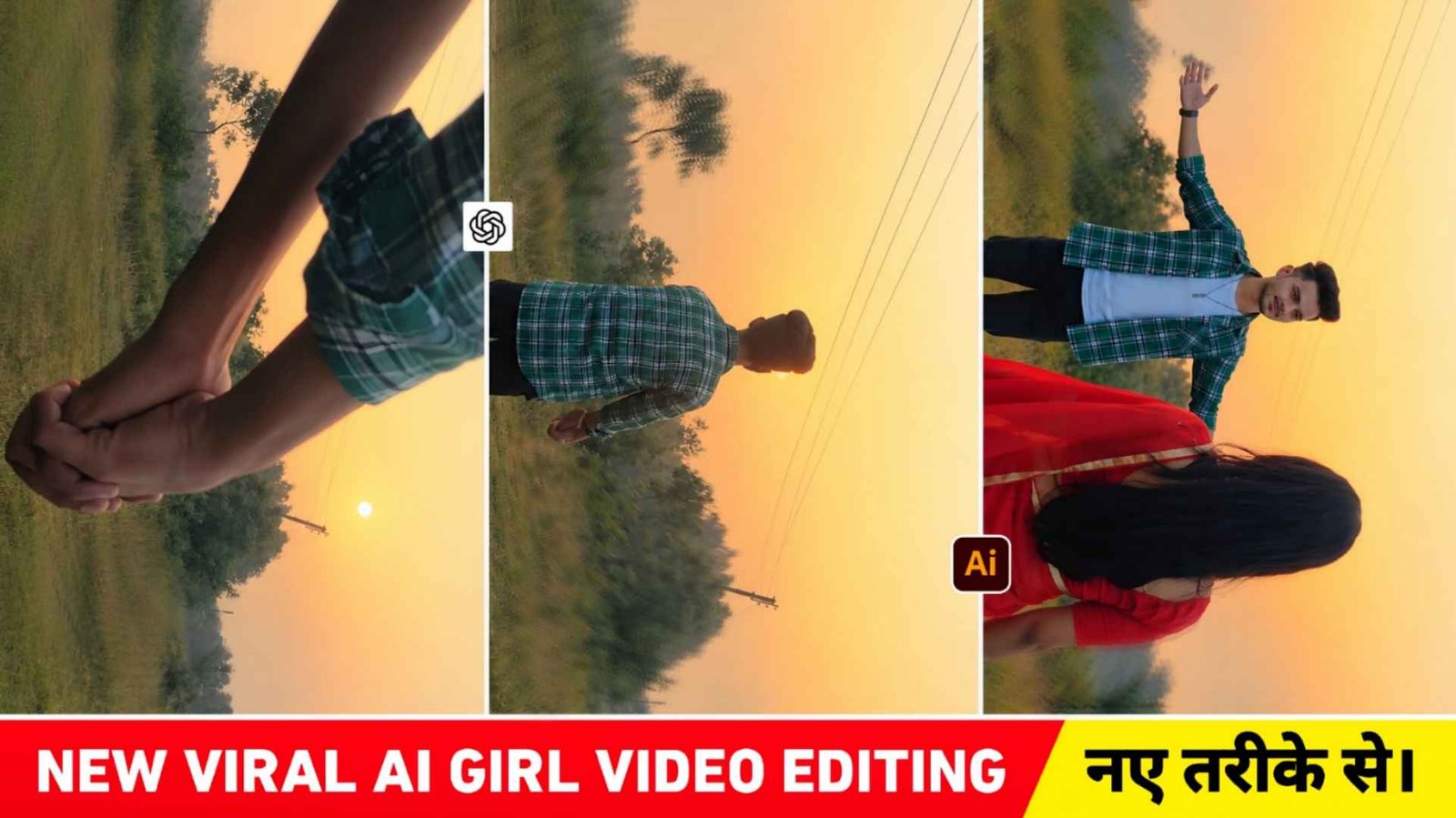
Ai Girl Hug Video Prompt – Recently, you must have seen one of your videos which is going viral very fast on social media, which is currently being known as Ai Girlfriend or Ai Girl Hug Video Editing. In which you must have seen that in the beginning a boy records a video while walking forward with both his hands fisted and then as soon as he moves forward and stops. Suddenly a girl comes and hugs him. In recent times, such videos are going viral very fast. Everyone wants it. We should make such videos and upload them because when any trend comes, people want it first. We upload. If you are also thinking of making such a video, then today I will tell you how you can easily make that kind of video through artificial intelligence with the help of just a selfie photo. You will not need to record the video manually. With just our selfie photos and another reference video prompt, we could easily create a video on top of this trend. How to do, do we also have to use editing app.
We will explain everything thoroughly in this article. Will also share whatever reference video and prompt is required for such editing. That’s why I have only this request from you. Please read all the paragraphs carefully only then you will be able to understand.
About Viral Ai Girl Hug Video
In the video of Ai Girl Hug, you will see that in the beginning you are shown a scene which shows an open field or a natural place or a beautiful background. After that, a boy is shown who comes completely close to the camera by holding both his hands together i.e. by making fists and slowly walks forward and then opens both the hands as he straightens slightly. Then suddenly a girl comes in the video and hugs him or starts living with him. This emotional moment is the most attractive part of this video. In this type of video, the use of soft sunset light, open sky, natural environment and slow camera movement is seen. If you want, you can easily change these things as per the reference video. Your video will be made in the same scene. If you use Refrance video of sunset time then your video will be created in the same way. If we use the reference video of evening i.e. night time. To make such a video, then a video of your night scene will be made.
What Do We Need To Make A Video?
Look, to make a video of AI girl hugging, only a few things will be required, like if you are making the video with the help of reference photo, then you will have to first create a character set image with the help of chatgpt. So that whatever video you make in Flow AI, you will get good results. To create a character sheet image, you will need a Chatgpt prompt. Then once you have created the image, you will need a reference video as the reference video to use. Your video will look exactly the same. Therefore, use the reference video as per your convenience. By the way, we have given a reference video. You can use it if you want, otherwise you can take it from Instagram also. So overall, to create such a video, we will need a reference video and a prompt to create the character seat image. Secondly, whatever reference video and photo we use in Flow Ai, we will also need a video prompt. After making the video, do not forget to edit it with the help of editing app.
Image Create Prompt

AI PROMPT
CREATE PHOTO
How To Make Ai Girl Hug Video Using Flow Ai Prompt?

- Type Google Flow Ai in any browser and search.
- First open the website and login with your Google account.
- On the right side, instead of Nano Banana, select the Video option and adjust all the settings as per your requirement.
- Upload the reference video plus character seat image by clicking the plus above and clicking upload.
- Now click on the plus at the bottom left and select the video and also select the photo.
- Generate the video by pasting the prompt into the chat box.
- After waiting for some time, you will get your video exactly as shown.
- Click on the video to watch and save it.
Conclusion
Now again a new type of Ai Girl video trend has come which people are currently knowing by the name of Ai Girl Hug Video Editing. Are you also thinking of making a similar video, then this Ai Girl Hug Video Prompt can prove to be very good for you because we have given complete information in it. Whatever reference video will be used to make such video, Prompt will be used along with it. We have shared everything. Therefore, as soon as possible, create a similar video and upload it with the help of the given prompt and reference video because this type of video is very much in trend right now. So how did you like today’s AI video editing article. Do tell us in the comment box. Don’t forget to share this article with your friends.