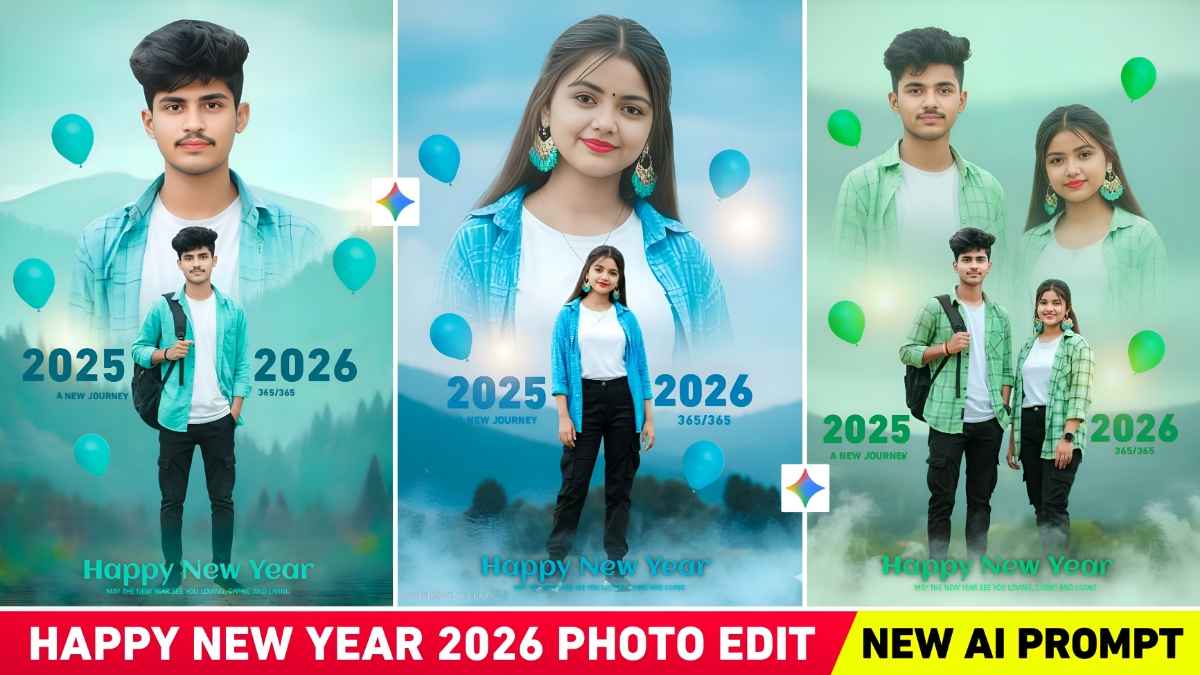
Gemini New Year 2026 Double Exposure Ai Photo Editing Prompts – To make the new year 2026 special and memorable, people are using Google Gemini to create various types of Ai generated photo edits. We’ve seen on social media that people are using Gemini Ai to create various Ai -generated photos related to New Year 2026 with the help of prompts. In previous article, we provided various prompts for creating New Year’s photos using Google Gemini. However, currently, double exposure “Happy New Year” photos created with Gemini are going viral. Double Exposure Ai photo editing is rapidly becoming a popular trend, as it artistically blends the background and subject in a single photo. With the help of Gemini Ai, you can create professional-level New Year 2026 photos by simply uploading a single selfie. The resulting image will have a 100% face match. In this article, we provide multiple Gemini Ai prompts to create the same double-exposure Happy New Year photo.
Gemini New Year 2026 Double Exposure Ai Photo Editing
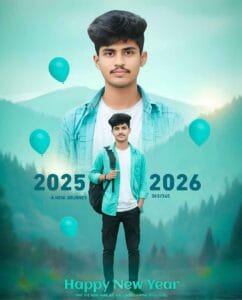
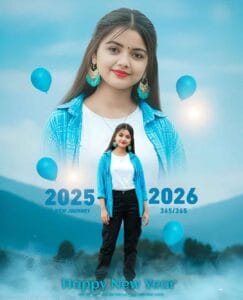
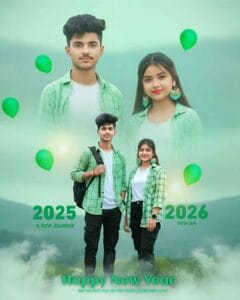
As we mentioned, the Double Exposure Happy New Year photo editing style has become the most popular recently. In this style, a half-body portrait fades into the background, and a full-body photo is added to the front, along with text like 2026, Happy New Year, etc. The thumbnail shows three photo types: a boy, a girl, and a couple .These examples will give you an idea of what AI-generated double exposure photos look like. This photo looks just like a cinematic poster. We will share Gemini New Year 2026 Double Exposure AI Photo Editing Prompts for boys, girls, and couples. This will also allow you to easily create your own viral New Year photos and stand out on social media. If you want to change the color tone in your photo, you can try customizing the prompt.
Boy New Year 2026 Prompt
Gemini Girl New Year Prompt
Couple New Year 2026 Prompt
How To Use Gemini New Year 2026 Double Exposure Prompt
We’ve shown three types of photos: a boy, a girl, and a couple. Then, below each photo, we’ve provided a prompt in a box. Now, you need to decide who you want to create the photo for. If you’re a boy and want to create a photo for yourself, copy the entire prompt for the boy’s photo. Then, before using it in Gemini, make sure you have a photo of yourself where your face is clearly visible. Now, read and follow the steps described below, one by one.
- First of all open the Google Gemini website or app on your mobile or laptop.
- Go to Gemini and click on the “Create Image” section there.
- Now upload a clear, high-quality selfie or portrait photo. Make sure your face is clearly visible.
- Copy any prompt from the list in this article for the New Year 2026 photo style you want to create.
- Now paste the copied prompt into the prompt box of Gemini.
- Just click the Send button now Gemini will create your New Year 2026 AI photo in just a few seconds.
- Download the photo you like best and save it on your phone.
Last Word
Gemini New Year 2026 Double Exposure AI Photo Editing Prompts help users create cinematic and professional New Year photos easily. Using the right prompts, it’s possible to achieve 100% face matching, stunning double exposure effects, and viral-ready visuals. If you face any issues while creating this photo with Gemini Ai you can ask us in the comments section. Alternatively, we’ve also created a YouTube video on this topic that you can watch to learn more. We have explained there in detail how to create this type of photo.