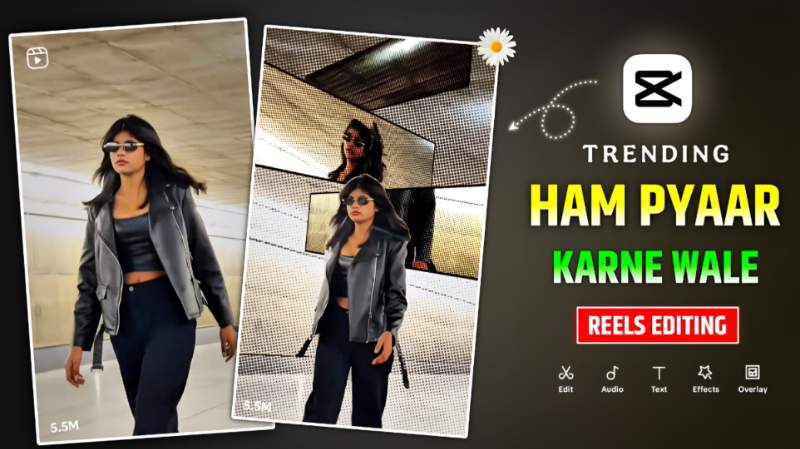
Hum Pyar Karne Wale Capcut Template – Friends, recently a girl made a video on Hum Pyaar Karne Wale song of Dhurandhar 2 movie through Capcut app and shared it on Instagram and you will not believe that video is going so viral on Instagram right now that everyone is thinking of making a similar video. Whoever has made and shared such a video, I have seen their video. By applying new types of transactions and video effects, he has created such a video which truly looks different. The biggest reason for that video going viral is the Hum Pyaar Karne Wale song from the movie Dhurandhar 2. Because this is the new version song. Udit Narayan has already sung this song in Hindi films starring Aamir Khan and Madhuri Dixit. But you can see its new version in the movie Dhurandhar 2. This is why people like to make videos related to this song. Today’s article is about making a similar video which is going viral on Instagram right now. People are making such videos using Capcut app. But I am going to give a template to make a video in less time,
Complete Guide Hum Pyar Karne Wale Reels Editing
Whoever has made the video, we have seen in all those videos that the video is of Walking Cinematic type in which the Halo Blur effect is applied in the beginning with Capcut app. Then some videos are made in slow motion. According to the beat of the song, video effect is applied, the one mostly people are using is Panel Cuts Effect. Similarly, according to the song, people are applying whatever effect they want like cross split, flash light effect etc. If you always do video editing with Capcut, then you can make videos without using any template. But for this it will be very important for you to have all the material. Like song having transaction effect, latest version of capcut. All new and trending effects working properly etc. To create a video from a template, you only need two video clips. The duration of the first video is 3.4 seconds and the second is approximately 7.5 seconds. If you want, you can record the video in more duration than this. After adding the video to the template, you can correct it there.
Hum Pyar Karne Wala Song Reels Posting Tips
Using the video making template that we have shared, when you make a video on a song we love, then the song that has been used in it will be included. It will sound a little strange because the sound has been changed. That’s why I would like to give these tips before posting that video on Instagram: first create the video by adding your clip to the template. If you want to add any kind of transaction effect or video effect test in the video, then click on the edit more option and adjust everything as per your choice. If you want, you can also do color editing in the video so that the video looks quite color grade. When your video is completely ready, save the video by clicking on the export button. To post on Instagram, choose only that video whose video has gone viral. There you have to click on the audio option and select your video by clicking on use audio and then completely mute the original song in your video. Title hashtag is to post reels by writing a little information about your video. Your video will definitely go viral.
Hum Pyar Karne Wale Template

Check template
Create Hum Pyar Karne Wale Video Using Capcut Template
To create a video with the help of a template, keep all the material used in the template ready in advance. Keep your two video clips ready because the template will add them automatically. Keep your internet connection strong also. Then go to paragraph four. You will see an image there. Just below that you will find a red colored button. Click on that button named Check Template. Will go straight to capcut. As soon as you click on the check template button. You will get to see the preview video in capcut to see what kind of video can be made with this template, after seeing the same, click on the use template button below and add both your video clips from the gallery. After adding, click on both the videos and crop or adjust the main thing in the video as per your requirement. Now a Next button will be visible on the right side. As soon as you click on it, the template instantly completes your video. Watch the video. If you want to change anything, there will be an edit more button, click on which you can make changes as per your choice.
Find Instagram New Viral Capcut Template
You must know this. People keep creating and sharing different types of videos with the help of Capcut app. You can find many Instagram-related templates on our website, so visit the CapCut Template category to explore them. I keep giving all the trending templates that come here. Apart from this, you can also search from Capcut. Just go to the template option there and click on the search bar, you can easily search. By writing the name of any type of template you want. Some people also make vn template related to it, so if capcut template does not work then you can make the video using vn template also.
Overall
Overall, we would like to say that in today’s article, we have shared a Capcut template for making a video on a new type of song. For the past few days, people have been posting a lot of videos related to love songs. on Instagram which are made with the Capcut app. We have explained how you can create it in one click using multiple transitions and video effects. You can create a video by simply adding your video clip to the template we have shared. If you face any difficulty in making the video, please ask us in the comment section.