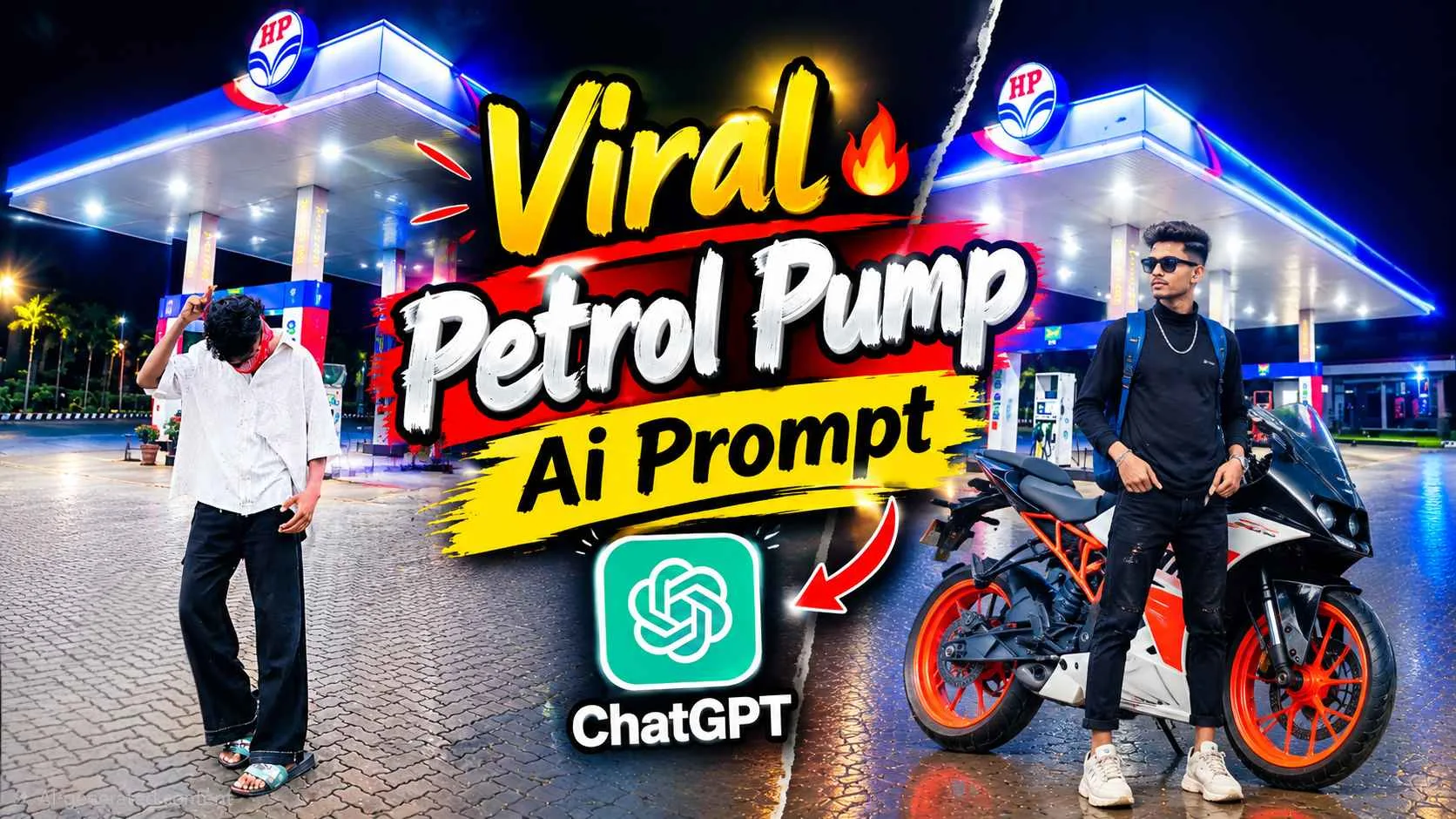
Night Petrol Pump Ai Prompt – If you have used Instagram recently then you must have seen a photo in which people are editing the photo with a petrol pump in the background at night. Which is currently going to be known as Aesthetic Petrol Pump Photo Editing. If you also want to join this trend and are thinking of editing your photo in the same petrol pump background, then you have come to the right website because today you will be told. How can you edit your photo with that kind of petrol pump background and upload it on Instagram and go viral. We can also create similar petrol pump background through editing app. I am saying this because to make a photo in such a background, we will need a background and an original photo of yours. But we saw many people that they are creating photos with the help of AI tools especially chatgpt and gemini, in which what they are doing is, first they upload the background and then after uploading their photo, they tell AI to make our photo in the background of petrol pump as I have uploaded the photo.
Detail Of Night Petrol Pump Ai Photo Editing
If you see, we can make this photo with the help of prompt. But mostly we have seen that people upload the background first and give command to chatgpt to make the photo like this by applying this background in our photo. So what I mean to say is that it is not necessary that you can make the photo in the same background. If you have lots of petrol pump backgrounds then you can use them also to create some unique photos. All you have to do to create a photo is that if you already have a petrol pump background, then first upload it in AI tool especially chatgpt or gemini. Along with this, you should upload such a photo in which you have clicked the photo with the bike or car so that the photo looks like we have gone to fill petrol in our bike or car. It is not necessary that we upload the photo with bike and car. If you want, you can also use normal photos for editing. Rest we tell in the next paragraph how we can create such a photo manually through editing app.
Create Such A Photo Using An Editing App
Most people don’t want to use chatgpt and gemini. The only reason is that sometimes AI completely changes our face. It does not keep our original face as it is, it changes it a little. Due to which many people do not like to make photos with the help of AI at all. If you also have this problem and you want us to edit the petrol pump photo through manual editing app, then I will tell you the same in this paragraph. How can we create a photo like that with a viral petrol pump background with the help of editing apps, especially PicsArt and Lightroom? All you have to do is create a photo in the background as we have shared in this article. Save the background by holding and presing. Then add the background in the PicsArt app and add the photo with the help of Add Photo tool and remove its background and adjust it properly on the background of the petrol pump and whatever shadow you want to apply, whether it is near the leg or near the hand, apply it properly first.
After that, with the help of Lightroom app, do color grading in that photo properly. So that our background matches with the photo and after that your photo will be finalized.
Night Petrol Pump Ai Prompt
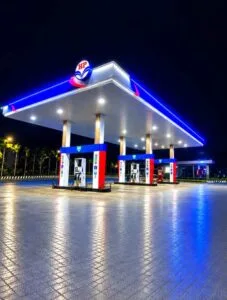
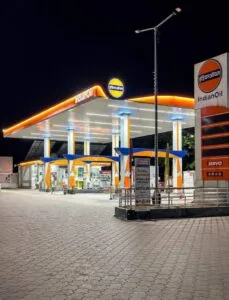
How To Create Night Petrol Pump Photo Using Prompt?
Creating photos with the help of chatgpt is much easier. That’s all that needs to be done. First save the background properly. After pressing hold and press which we have provided in paragraph four, keep an original photo of yours ready. You can take whatever photo you want, there is no problem in it. Now I am telling step by step how we can create. A photo like petrol pump by taking the background and our photo.
- Install Chatgpt app from Play Store and open it and login with your Google account.
- First select the Create Image option visible on the screen.
- Now click on the plus button on the right side and click on photo to add background and your photo from gallery.
- Enter the prompt in the chat box that we provided in paragraph four.
- Now click on the send button icon on the right side and wait for a while.
- After waiting for about 1 minute, your photo will be created.
Conclusion
Click on the photo and save the photo by clicking on the save button at the top. In today’s article, we have told about a new type of photo editing going viral on Instagram which you might have seen. Currently, the photo of petrol pump in the background is going viral. In this article, we have told you how to make exactly the same photo and whatever background and Night Petrol Pump Ai Prompt will be used. We have shared that also for editing. Along with this we have also told that if some people do not want to use AI. For such editing, how to create such a photo through manual PicsArt and Lightroom app. Then after telling all this, I am hopeful. You must have learned to make such a photo. If you still have any problem then you can definitely ask us in the comment box.