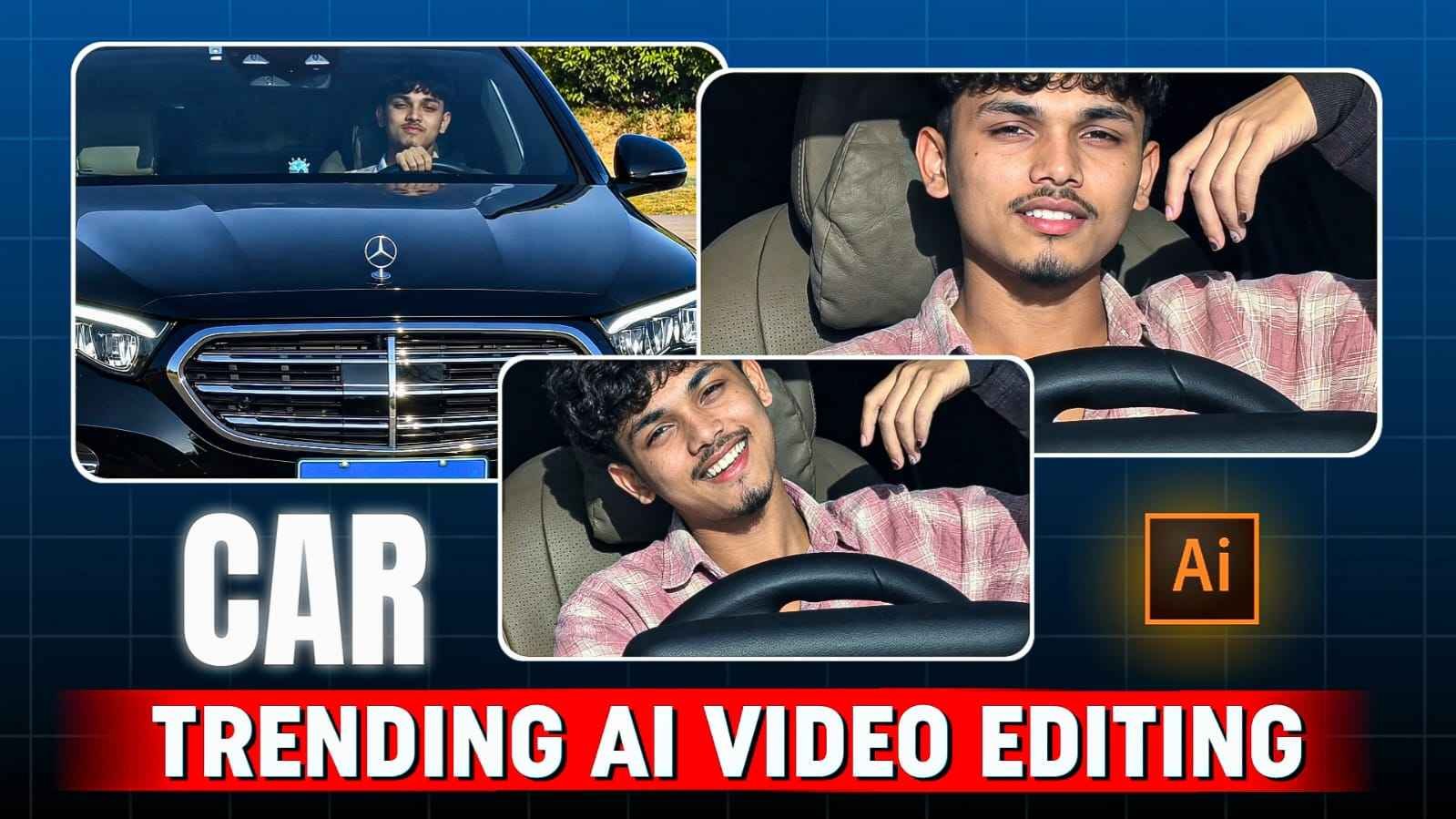
Car Driving Ai Video Prompt – The trend of AI Video Editing on Instagram Reels is continuously increasing and meanwhile, car-based cinematic AI videos are also rapidly attracting people’s attention. In such videos, the creator uses a normal photo in Google Flow as a reference and with the help of a proper AI Video Prompt, transforms that static photo into a cinematic driving scene. Believe me, this video is currently trending all over social media, especially YouTube and Instagram. This is what will be seen in the video: The person is seen sitting inside a premium car. As if he himself is driving the car and is performing along with him by singing or lip-syncing the Pata Chalega Song. The video doesn’t just have a static face movement, but facial expressions, head movement, hand gestures and singing-style expressions are also animated in a natural way, making the whole result look like an Instagram music reel. If you are also thinking of making such a video, then today’s article is on this topic. In this we will give complete information about making such videos. Whatever prompt is used will also be shared with you.
What Is In Trending Car Driving Ai Video?
The basic concept of Trending Car AI Video is quite simple. In this, your original photo is given as a reference in Google Flow and through AI prompt, you are shown sitting inside the car. In the reference video, the exterior/front view of the car is seen in the beginning, in which a person is seen on the driving seat. After this, the focus of the video slowly shifts to the person sitting inside the car, where he is seen performing like singing or lip-syncing with the Pata Chalega song. Facial expressions, eye movements, slight head movements and stylish hand gestures in close-up shots make the video more engaging. The steering wheel and car interior are also kept a natural part of the scene, making it feel as if the person is actually sitting inside the car and shooting the video. For this reason, this editing does not just seem like a simple effect like animating a photo, but gives an experience like a short cinematic music reel.
You can choose a photo of yourself in which your face is clearly visible and then instruct the AI to generate car interior, driving pose, expressions and singing performance as per the prompt.
Tips For Realistic Car Ai Video Editing
In this type of AI car video, it is important to pay maximum attention to three things – your identity, car environment and human movement. First of all, the reference photo should be such that your face is clear and recognizable, because blurry or heavily filtered photos can affect facial consistency. After this, attention should be paid to keeping the appearance of the character stable in the prompt, so that the face, hairstyle and overall look does not change suddenly at different moments of the video. Car interior should also remain realistic. Elements like steering wheel, dashboard, seat and windshield should appear natural in their place and AI should not change or distort them unnecessarily. Human movement is also very important. Slight head movement, natural facial expressions, and subtle hand gestures when singing or lip-syncing can make a video appear more realistic, while too fast or unnatural movement can appear to have an AI-generated feel.
Car Driving Ai Video Prompt

AI PROMPT
Create Car Ai Video From Your Photo In Google Flow
To make this kind of Car AI Video, first of all keep a clear and high-quality photo of yours ready. Try to make sure your face is clearly visible in the photo, because Google Flow will try to maintain your character and facial appearance in the video based on the same reference image. After this upload your photo in Google Flow and paste the Actual Car AI Video Prompt given below. In the prompt, things like sitting inside the car, driving-style pose, singing or lip-sync expression with Pata Chalega Song, natural hand gestures, head movement and cinematic video appearance can be specified. After entering the prompt, Google Flow will create an animated scene in image-to-video style based on your reference photo. If you want exactly this result, it would be better if the face and upper body in the reference photo are clear enough.
Last Word
This concept of Trending Car AI Video Editing Prompt is quite interesting for those who want to create cinematic driving and music-reel style videos on Instagram without shooting the actual car. In this, by uploading a suitable photo of yours as a reference in Google Flow, it can be converted into a dynamic cinematic scene inside the car with the help of a prompt. The singing or lip-sync style expressions, natural hand gestures, head movements and close-up car shots along with the Pata Chalega song give a distinct reel-style appearance to the entire concept.