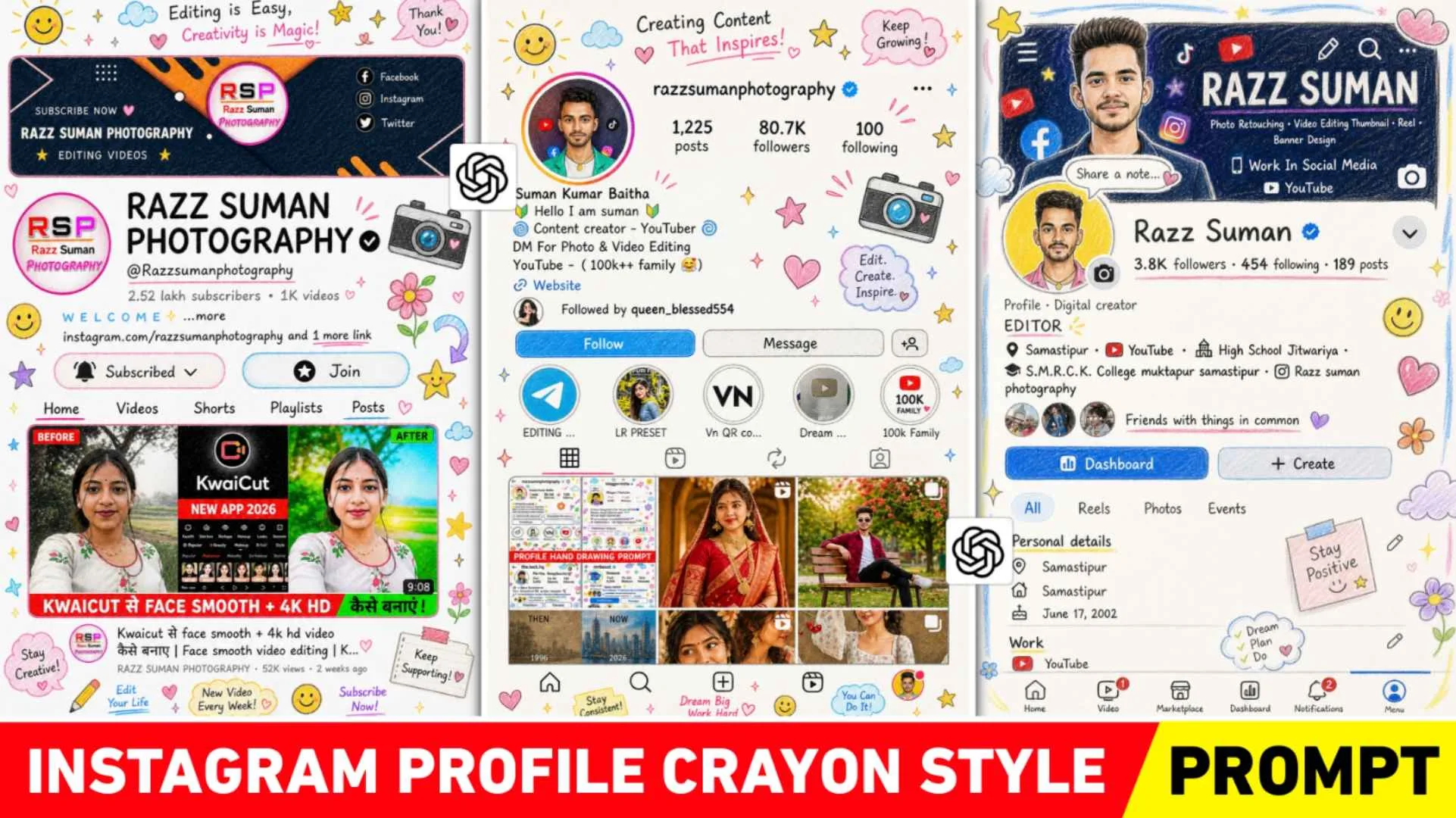
Instagram Profile Hand Drawing Prompts – Friends, you might remember that a few months ago a new trend came on Instagram. In which everyone was posting their own photos by making them into sketch photos. That is, you were making your entire photo on paper like a sketch in a drawing photo. If you have used Instagram recently, you must have seen it. Currently, another new trend similar to this is being seen on social media in which everyone is making their Instagram profile like a sketch. Currently, many people are knowing their Instagram profile by the name of Hand Drawing ai Photo Editing, while many people are also knowing it by the name of Crayon Style Ai Photo Editing. At this time everyone whether it is a boy or a girl. Everyone is very fond of making their Instagram profile like a drawing photo. Because the photo created by AI looks so beautiful that you don’t even ask anything, looking at the created photo it seems as if someone has made such a drawing with his own hand. In this article, we are going to share a prompt to create similar Instagram profile photos with hand drawing.
Details Of Instagram Profile Hand Drawing Ai Editing
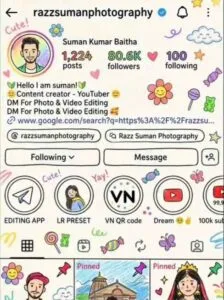
As far as I have seen, everyone is making their Instagram profile like that hand drawn profile photo. But in this article, apart from Instagram, I am also going to share the prompt for making hand drawing photos of Facebook and YouTube so that you can create and share photos of all your social media IDs. When you create your own profile like a hand drawing profile photo by using the prompt that will be shared in it, you will see that your profile will be merged with notebook sketch and doodle art. Talking about the design, the entire picture will appear to be hand made. In which doodles like suraj (sun), sitare (stars), heart (hearts), and cute clouds etc. Motivating things will be written at various places in the photo such as creating inspiring content, moving forward, being persistent and dreaming big, working hard etc. The photo will have very colorful and happy vibes. This uses more pink, yellow, and blue colors. It’s not just a profile screenshot, but a “digital identity” that reflects your creativity. Along with the prompt, we have also shown reference photos that you can easily copy.
Why Did This Photo Go Viral So Quickly?
The reason for such photos going viral is that everyone has their own Instagram ID and everyone uses different types of bio DPs to make their ID professional. When one person creates such a photo and shares it, then the other person must have liked such a photo and he would also want me to make his ID in such a look. So just like that, making one better than two, two better than three, everyone started making such photos and sharing them. Due to which it completely became popular on Instagram and within no time it took the form of a new trade. The second reason is that earlier also the trend of making similar photos had come on Instagram in which everyone was sharing their own faces by making drawing style photos on paper. Known as notebook drawing photo editing, it went so viral that everyone started making and liking such photos.
You must have seen small doodles like sun (sun), sitare (stars), heart (hearts), and cute clouds in hand drawing profile photo, it attracts people. What I mean to say is that it looks quite beautiful. Everyone wants to see how our ID will look when we make such a photo of our ID. This could also be a reason for such a photo going viral.
Profile Hand Drawing Prompts
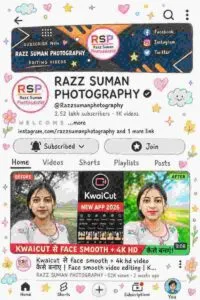
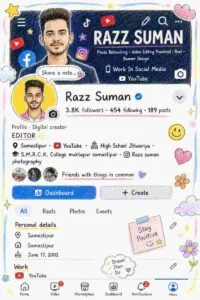
The Screenshot Be Taken In Dark Theme Or Light Theme
Whether you are making a hand drawing photo for YouTube or Instagram or Facebook. Try this whenever you take a screenshot of your profile. It should be in the light because the prompt is designed that way. As far as I know, nowadays everyone uses the phone in dark theme, so whenever you take a screenshot, use light theme first. If you want to use Instagram, then go to Instagram’s settings and set light theme and then take a screenshot. If you take a screenshot in dark theme and then create a photo. Your photo will not be as good as you see in the thumbnail. In every phone you can take a screenshot in different ways. Like scrolling with three fingers on the screen. Pressing the power button and volume button. Together or opening the control panel.
Create Instagram Profile Hand Drawing Photo Using Prompts
Before making a hand drawing profile photo, take a screenshot of your profile. Well, you can crop it if you want, otherwise you can’t. Good results are visible only with the help of chatgpt. Therefore, to create a photo through chatgpt install the chatgpt app from the Play Store. Then open it and log in to it before Gmail. After logging in, select the Create Image option, which is an important task, without this the photo cannot be created. Because that’s how chatgpt comes to know that you want to make a photo. After selecting the Create Image option click on the Media option. Add the screenshot of your profile and copy the prompt given by us in the chat box. Paste it there and then click on the Send option. Photo making will start. Wait for about one minute and your photo will be ready. Once the photo is created, click on it and select the save button to download it to your device.You can create all other social media profile photos in the same manner.
Last Word
Friends, in today’s new article we have given information related to creating. A new type of AI photo which is going on on Instagram. Right now the hand drawing photo is trending which people are knowing by different names. Like profile hand drawing photo editing Crayon Style Ai Photo Editing. How you can make similar photos with prompt. By using the Instagram profile hand drawing ai prompts that we have shared in this article. You can create such a photo very easily in chatgpt. What is the reason for such a photo going viral. How should we take a screenshot to create a photo. In which theme, we have explained everything clearly within each paragraph. So I hope everyone can easily create such a viral photo by understanding the guide given by me.