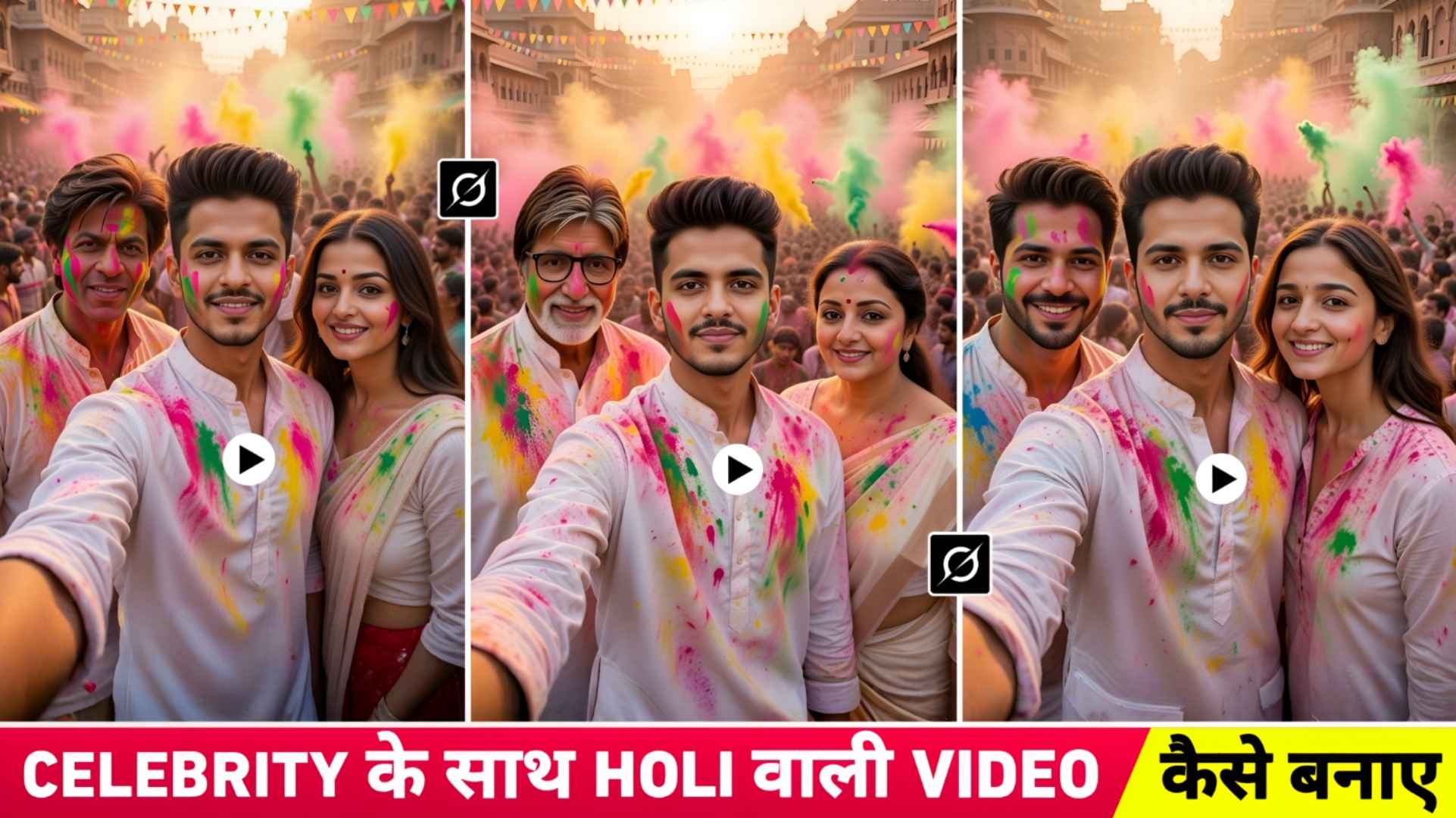
Celebrity Selfie Holi Ai Photo & Video Editing – This time on Holi, people are enjoying doing different types of editing. Some people like to make photos and some people like to make videos. On this website, we have given prompts for Holi editing ranging from making different types of photos to making videos. Which is being liked a lot by you people, so keeping this in mind, today’s article is again related to Holi in which I have brought a new kind of editing. A few days ago, a video went viral on Instagram in which people were walking and taking selfies with big celebrities. That kind of video had become very viral. So what we will teach you about Holi editing in this article will be based on this theme. In this we will show you how to make a video while celebrating Holi with big celebrities. In which you will be taking selfies with big celebrities and the entire Holi theme will be there in the background. Now some people are making such videos and uploading them on Instagram which is becoming quite viral, so in this article we are going to tell you about making similar videos.
Complete Guide Of Celebrity Selfie Holi Ai Editing
To make such a video, first we have to make a photo because the video is going to be made using the photo only. We will show you how to make the photo with Grok Ai for which I have shared a prompt. I have highlighted the celebrity’s name in the prompt. Instead of which you can create a photo by writing the name of a different celebrity. Once the photo is made, Flow Ai will have to be used to make the video because Flow Ai is available only. It is possible to make such a video. Although there are many AI tools, the best results will be obtained from Flow AI. We have also shared a prompt for making a video. In such videos, you will see that you will be taking selfies with celebrities and in the background, people are celebrating the entire Holi festival. In which there will be old heritage-style buildings, colorful triangular festival flags will be hanging above them. You can create different types of photos by writing the name of the celebrity in the prompt.
After that, when four to five photos are made, then you can make a video by taking two photos together in Flow Ai. In this we have explained the entire process from photo to video making. in different paragraphs
Why Use Grok Ai For Photo Creation?
You must be aware that there are many AI tools for creating photos like Google Gemini, Chatgpt and many more. With the help of which we can create any kind of photo. We told to create photo with Grok Ai only because we have already tried creating such photo in many Ai tools. But I did not see good results in anyone. When I tried making photos with Grok Ai, I got good results in one go. Secondly, when we create photos in all other Ai tools, it gives us only one photo and in Grok Ai, it creates two photos. If you don’t like one photo, you will definitely like the other photo. In this, the photo is made in HD quality and the photo is also made very quickly, in about a few hundreds. That’s why if you believe me, you too should make photos using this AI tool. Just copy carefully whatever prompt we have shared in this article to make the photo. We know the complete information about making the remaining photos in the next paragraph.
Celebrity Selfie Holi Editing
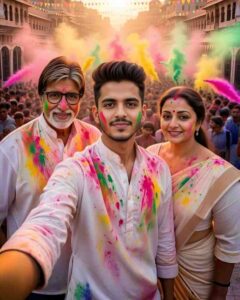
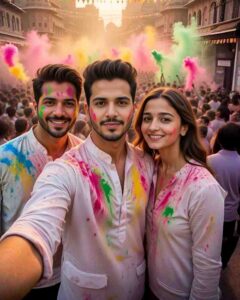
No mobile phone visible in anyone’s hands.
Create Celebrity Selfie Holi Ai Photo Using Grok Ai
Whatever prompt we have shared with you to make a photo, first copy it. After copying, keep a good quality photo of yourself ready so that the face matches well in whatever photo Grok Ai creates. If your photo is blurred. Then the face will not match properly. To make a photo, you can either use the application of Grok Ai or the website, the photo will be the same in both, but believe me, making the photo is better by using the application. Because the user interface in it is very simple, secondly, now everyone makes photos using AI, so if you have the application, you can make photos immediately. All you have to do to create a photo is to install the Grok Ai App from the Play Store on your phone. Then you will have to login with your Gmail ID. Click on the media option at the bottom, click on Photos, upload your selfie photo there and then enter the prompt in the chat box. Grok Ai will create two photos of you as per the prompt and give them to you within some time.
How To Create Celebrity Selfie Holi Ai Video?
To make a video, first edit all the photos properly which will be made with Grok Ai. Like make it HD a little or crop it. After doing all this we have given a button. Click on it named Create Video in the same paragraph. Will go to Flow Ai’s website. But before that, copy the prompt we have shared. What do we have to do after that. Know step by step.
Video Create Prompt
- Click on the Create With Flow button.
- Login with your Gmail ID.
- Now click on the New Project option.
- Below, select Frame to Video instead of Text to Video.
- Click the First Plus option to upload the first photo. Then click the Second Plus option to upload the second photo.
- Enter the same prompt in the chat box that you have copied from our website
- Click on the send button on the right side and wait for a while.
- After waiting for two to three minutes the video will be ready.
- Similarly, can you create it by uploading another photo.
Final Thoughts
In the end we would like to say that in today’s new article we have taught a new type of editing on Holi. In this article, we have told you that you can do celebrity selfie holi editing AI while celebrating Holi with celebrities using Prompt. This provides complete information from photo to video making. So, after knowing the mentioned method, do a new kind of editing on Holi as soon as possible and upload it on Instagram and go viral.