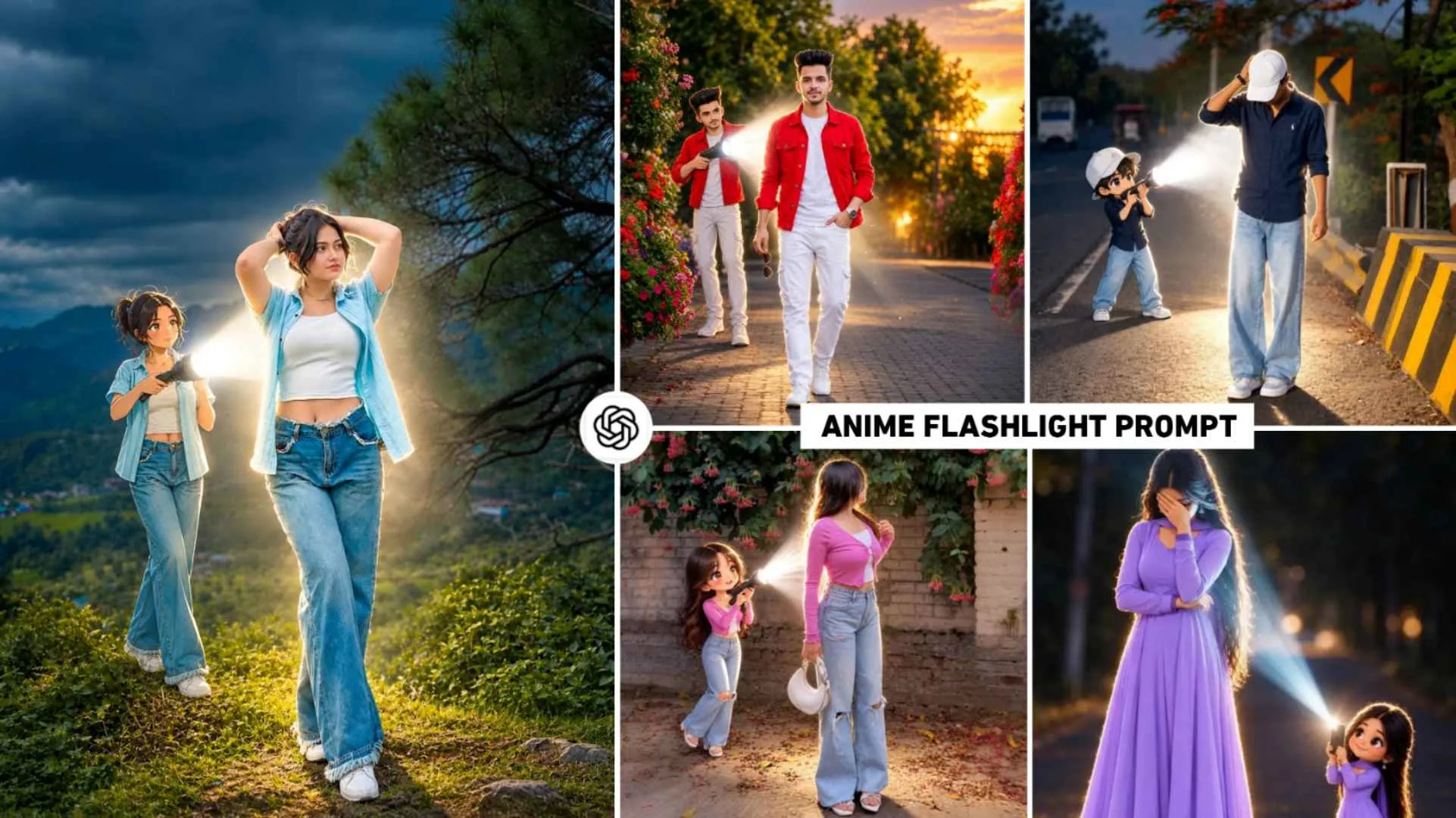
Anime Flashlight Ai Prompt – If you already like editing. Be it a photo or a video, you will remember it. A few months ago, a trend of a photo created by artificial intelligence i.e. AI was being seen on social media, in which everyone was emphasizing an anime in their original photo. The anime that is added to your photo will look exactly the same as your photo, wearing the same clothes, pose style and everything. Which people were knowing as Shinchen style photo editing and that photo became so viral that another new trend similar to it is currently being seen on social media in which people are doing what. Adding Anime to Your Original Photo Anime appears as a person holding a flashlight torch from behind you or from the left or right on your photo. Which is currently being known on the internet as Anime FlashLight Photo Editing. This photo is so viral at the moment that both the boy and the girl have become crazy about making such a photo.
Keeping all these things in mind, as I told you about making Shinchen style photos. Similarly, in today’s article we will tell you the whole thing about how to make anime flashlight photo editing.
What Kind Of Editing Is Anime Flashlight Photo?
If we look closely at the anime flashlight photo, the AI will add a small cartoon version of your original photo while keeping the original image intact. If you create a photo using your own photo, the face, hair, clothing, and posture will appear almost identical. A small cartoon version of the same person will be standing behind you, with clothing and hair that resembles the person in front of you. The cartoon anime is holding a flashlight and shining a light on your back. The bright white light from the flashlight is falling from behind, so the glow is primarily visible around the edges of your hair, body, and clothing. The light is so bright that it creates a clear, bright halo effect behind it. If your photo is taken in daylight, it will become completely nighttime after editing. To create such a flashlight anime photo, you’ll need a full-body photo. Using a half-body photo will not produce as good a photo. You won’t be able to tell where the anime has been added.
In short, this editing involves adding a small cartoon version of the person behind the original photo, shining a flashlight from behind, creating a glow around the main subject. In this article, we’ll include prompts for creating such viral photos for both men and women, so you can easily create such viral photos using the AI tool with your full-body photo.
Anime Flashlight Ai Prompt
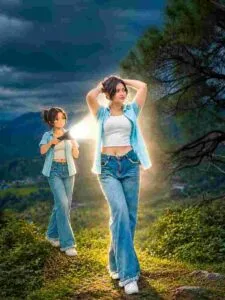
AI PROMPT
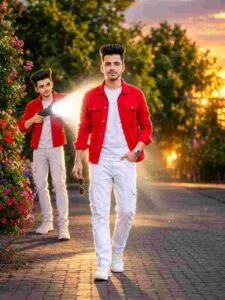
AI PROMPT
Create Anime Flashlight Ai Prompt Using Prompt
To make such a photo, you can take the help of chatgpt because we have seen such photos being made through chatgpt and chatgpt makes the photo in such a good way that it looks completely real. Your face doesn’t even change. At the same place where we have given a prompt to create a flashlight anime photo for a boy and a girl, we have given a button named Create Image which is from chatgpt, by clicking on which you will go directly to chatgpt. The first thing to do is to login with your Google account and select the Create Image option shown on the screen, add your full body photo with the help of media option, then paste the prompt in the chat box and generate it, your photo will be created in some time. What happens sometimes. If you are not able to take a perfect photo in one go, you can try again. After the photo is created, adjust the lighting in it with the help of any editing app. Especially Lightroom app, i.e. do color grading so that the photo looks even better.
Conclusion
Just as Shin-chan-style photos were trending on social media, another new trend emerged. Similar to it is being seen which people are knowing by the name of Anime Lantern photo editing. If you have also come to our website to make such a photo. Then this article Anime FlashLight Photo Editing Prompt can prove to be very good for you. Because in it we have given complete information about making such a photo for both boys and girls. Also included are prompts to use. So make sure to make the photo using the given prompt and secondly. Whenever you make a photo, try to make the photo using a full body photo. So how did you like today’s AI photo editing article? Do tell in the comment box. Thank you very much for visiting our website.
Frequently Asked Questions
1. What Do You Need to Create a Photo Like This?
Ans. – For this, you need a clear and good quality photo of yourself, in which your face and clothes are clearly visible.
2. Why Does the Torch Light Appear So Bright?
The bright white light creates a clear effect of backlight and edge illumination.
3. Will The Cartoon Person Look The Same?
Yes, efforts are made to keep his hair, clothes, complexion and other identifying features similar to the original photo.