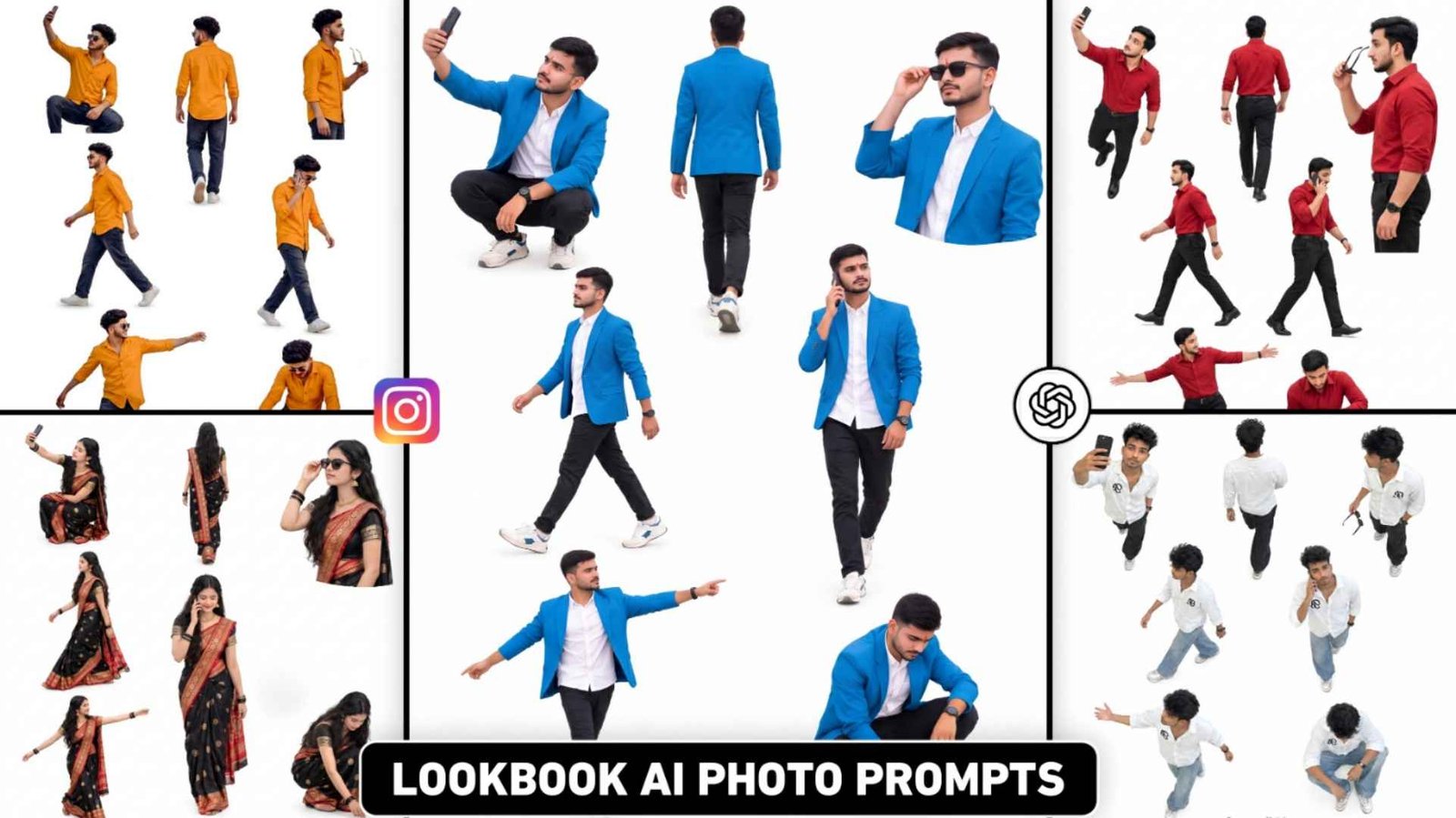
Lookbook Photo Prompt – Apart from chatgpt, Gemini, Meta AI is also no less than anyone. Every day people keep making new types of photos. Recently you must have seen on Instagram. Ai fashion photo has been created using Meta AI which is going viral very fast. Which people are knowing on social media as Lookbook photo editing, this photo trend is becoming so viral now that everyone is thinking of making such photos. Be it a boy, a girl or a couple because in this we do not need to do much editing process. We just have to take any kind of normal photo, upload it in Meta AI, apply filters and create such a photo in a single click. A new filter has just appeared in Instagram’s Restyle tool, allowing users to try a fresh look on their photos. People are making photos using the name of Lookbook, so in today’s article we will talk about making similar photos. Apart from creating similar photos from Instagram, we will talk about creating photos with the help of chatgpt and gemini prompt. Because many people are not able to see Lookbook filter in Restyle.
Complete Guide Lookbook Ai Photo Editing
This is a high-quality fashion lookbook collage (Fashion Lookbook / Model Sheet), like the photos you might have seen on social media. In that type of photo, the model is placed in different pose styles on a white background. He is seen in different style looks. Whatever model is added, a shadow is also added near the feet below it so that the photo looks exactly like the real thing. People are creating such photos using the restyle tool in Instagram, in which they upload any kind of photo. Be it a full body photo or a half body photo, he is wearing clothes in the photo. His entire photo is dressed in the same type of clothes. With full body in which the photo is shown in different angles or in pose style. I saw that apart from Instagram restyle, people are also talking about using Chatgpt and gemini to create similar photos. This is because there is some limit in Restyle that we can make only so many photos in a day. We cannot make more than that.
Secondly, many people are not able to see the Lookbook filter in Restyle of Instagram, so this is the reason why people are making photos using chatgpt also. You must be aware that we need a prompt to create a photo with chatgpt, Gemini. That is why in this article I have shared many new types of prompts to create photos in Lookbook style.
Create A Lookbook Photo From Instagram
What to do first to make your photo look like lookbook style with Instagram’s Restyle? Be sure to update Instagram from App Store or Play Store. Only if there is a new version, that filter will be visible. If it is in old version then filter may not be visible. After updating the app, open the app and go to the same option from where you upload your story and upload your photo. After uploading the photo, it is given on the side. You will see a tool named Restyle. Click on it. Below you will see a filter named Lookbook. If the filter is not visible then a search option will be available there. Click on the search option and search by typing Lookbook. That filter will be visible. After finding the filter, click on it. It will take some time to load. Once the loading is complete, your photo will be ready exactly as it is. After the photo is created, adjust the photo a bit by zooming out with both your fingers and save the photo in the device by clicking on the save button on the side.
Lookbook Photo Prompt

AI PROMPT

AI PROMPT
Ai Prompt

AI PROMPT
How To Make Lookbook Ai Photo Using Prompt?
To make your photo in Lookbook style with the help of chatgpt or gemini, first keep your photo well prepared. Try that your photo is of very good quality and you are wearing nice clothes so that the photo created for Ai Fashion i.e. Lookbook looks stylish. That’s why the better you keep the photo, the better the photo will be. What to do after taking your photo? Open chatgpt or gemini app from Google Play Store. After opening the app, first login with your Google account. After login, select the Create Image option shown on the screen. Making the selection, upload your photo with the help of media option and generate it by pasting the prompt copied from here in the chat box. Within some time your photo will be ready exactly like that. If the photo result is not good then try again. Your photo will look great. After making the photo, click on the photo and save it with the help of button.
Conclusion
Currently, the new trend of photos created by AI is being seen on social media, which people are calling Lookbook Photo Editing or Multiple Pose Style Photo Editing. If you are also thinking of making such a photo, then today’s Lookbook ai photo editing prompt can prove to be very good because apart from making a photo with the help of Instagram’s Restyle tool, apart from making such a photo using chatgpt and gemini prompt, we have given complete information about how to take the prompt. What kind of photo to take and how to make a photo so that our photo looks stylish, then definitely make the photo using the prompt given once. After creating the photo, save it and share it on Instagram. Then do tell us in the comment box how you liked today’s article. And don’t forget to share this article with your friends so that they can also make such photos.