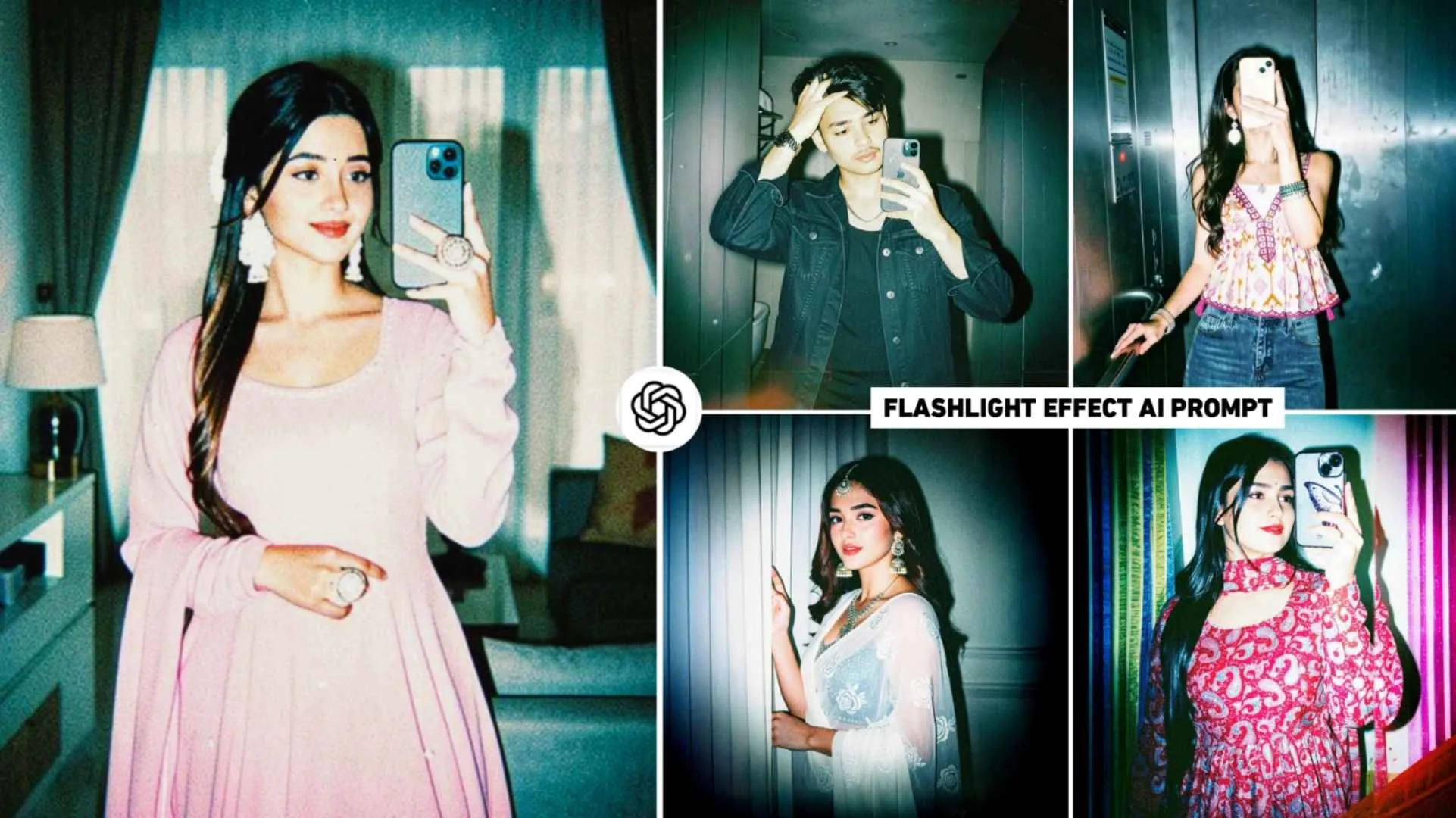
Flashlight Effect Ai Prompt – Right now on Instagram I am seeing some content creator brothers using create image ai tool in chatgpt. We are telling you how to make a very wonderful kind of photo. Which is currently being known as Flash Light Effect AI Photo Editing on social media. In which he is making any kind of photo in high-contrast, direct flash fashion/editorial style and perhaps you would not know. This type of photo is becoming very viral at the moment. Every small and big creator wants to make such a photo. All the content creator brothers are currently sharing the video of making such photos on social media. Everyone’s videos are getting millions of views. Keeping all these things in mind, we thought that this photo is definitely in trend, that is why we are going to tell you in today’s new article. How can you create that kind of photo with Flash Light Effect through just a simple prompt. Not only boys but also couples with girls are interested in making that kind of photo with flashlight effect. That is why I only request you to read this article carefully.
Complete Information Flashlight Effect Ai Photo
The kind of AI editing photos we’ve seen use high-contrast, direct flash. Which will give any kind of normal photo a dramatic, punchy and magazine-like look. When you edit your own photo in chatgpt with the prompt that I am sharing in this article, you will see that the harsh front flash will create sharp highlights and deep shadows in your photo. Talking about the face, it will be made in warm tone with teal-cool color grading. But remains desaturated. If you always do photo editing then you must know that when we give heavy contrast and slight overexposure in any kind of photo. So that photo looks absolutely bold type. After creating a photo with chatgpt, when you completely edit the photo with some editing app, your photo will look like a glossy 90s fashion editorial with a sharp, edgy and cinematic look. We’ve shared two prompts for creating a trading photo with a flashlight. If one prompt does not give good results then you can try making a photo using another prompt. One important thing is that the prompt I have shared will work only on your normal photo. Not on selfie photos at all.
Will This Style Look Good On Every Photo?
No, the prompt I provided will not work well on every photo. Because I already told that high-contrast direct flash editorial has been used in this type of editing. Due to which it will not work well on every photo. This prompt is better for editing photos like portraits, fashion shots, street photography and urban lifestyle. If you apply this kind of editing on a normal family photo, romantic photo or natural photo, it will look strange and over-edited. The natural feeling will disappear. For example, in a photo with greenery, this style can spoil the colors. In simple words, I would say that you should only use such flash light photos for “cool, stylish, Instagram vibe. To create such photos, take a portrait photo while standing. Have a pose with some attitude (side look, hands in pocket, near the wall). Keep the background simple. Whenever you click the photo, try to take the photo during the day or in the evening with a mobile flash, only then that harsh shadow effect will come out well.
To some extent, this thing also depends on the clothes, what kind of clothes you are wearing. You are clicking photos. I would just say that you should click photos only while wearing dark shirt, white t-shirt, etc.
Flashlight Effect Ai Prompt
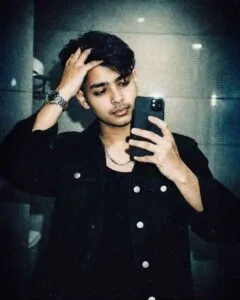
Add heavy fine film grain, mild shadow noise, slight chromatic aberration, and a subtle vignette. Create a glossy 90s fashion editorial look with crushed blacks and lifted highlights, blending a clean digital and gritty analog feel.
Add heavy fine grain, slight noise, chromatic aberration, and a soft vignette. Create a glossy 90s editorial look with crushed blacks and lifted highlights, mixing digital sharpness with analog grit.
Do not alter face or body position.
Make Flashlight Effect Ai Photo Using Chatgpt Prompt
This is all you need to do to create a photo with the help of both the prompts. First click your photo as we mentioned in paragraph 3. Same type after that install chatgpt app. Otherwise you can also create photo using chatgpt website. When you create a photo for the first time, you will need to login, so you can login with your email ID. After logging in, find the Create Image option. Then paste your full prompt that you copied from this website into the chat box. After copying, click on the media option there and upload your photo. Before clicking on the generate button, write this thing at the very end of the prompt, “use this face, don’t change face”, then click on the generate button and wait for about one to two minutes. Your photo will be ready in some time. Sometimes our photo is created but does not show in the chat box. If this happens to you too, then click on the two dots option on the top left side and click on the image option. Your photo will be visible there. You can save it by clicking on the photo.
Final Thoughts
Overall, in the end I would like to say that in today’s new article we have told about making photos with the viral flashlight effect which is trending on Instagram, in which we have shared some prompts to make that kind of photo with chatgpt. Which, if used on the right photo and in the right way, can very easily make the photo look exactly like a thumbnail. All I can say right now is that it is trending a lot right now. That’s why make such a photo and post it as soon as possible.