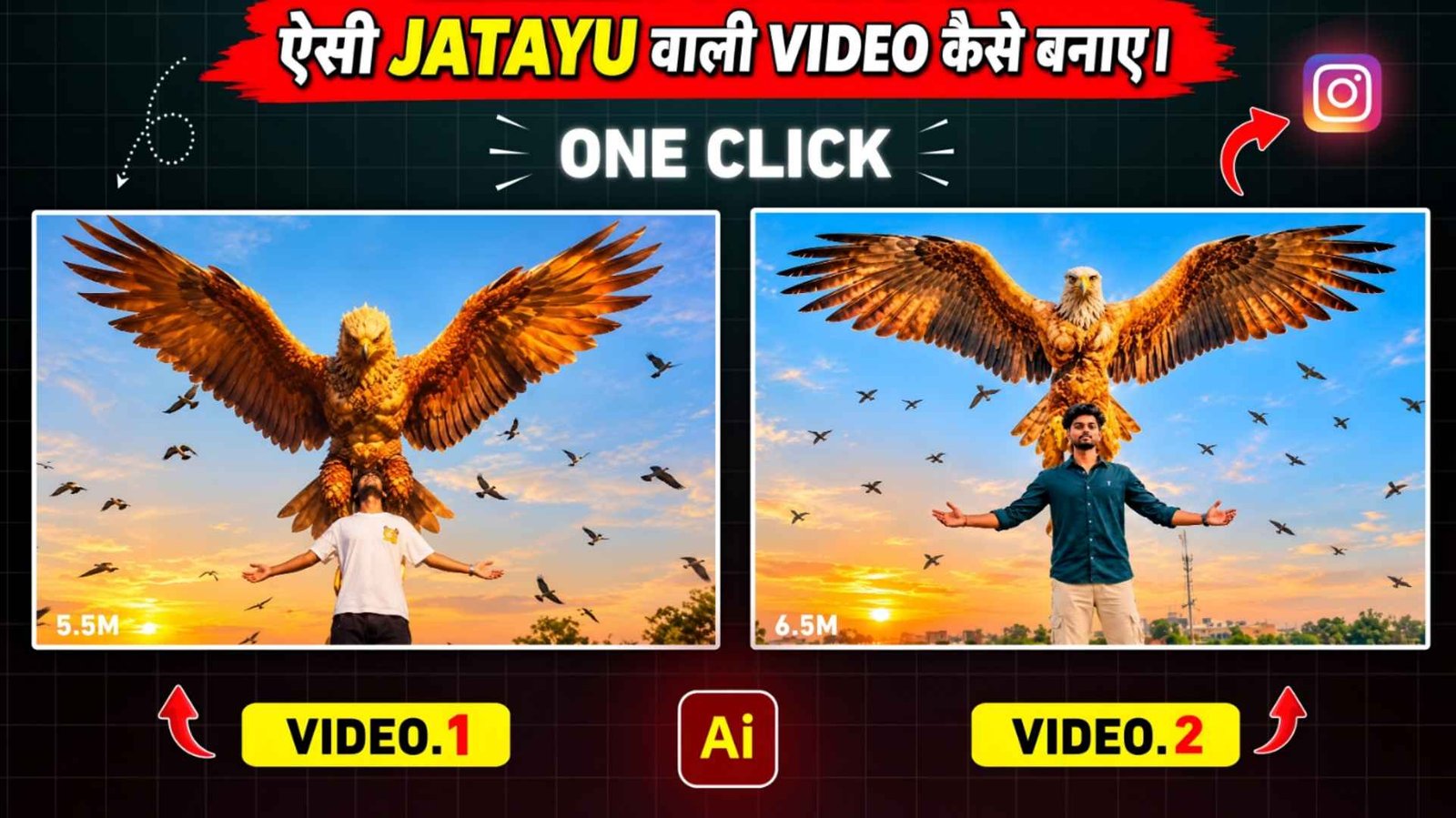
Jatayu Ai Video Prompt – Recently, Ramayana movie has come in Bollywood and people are getting inspired by the Jatayu scene in it, which is going viral very fast on Instagram, which is currently being known as Ramayana Jatayu Reels Editing. This Reels video or Ai video of Jatayu is becoming so viral right now that everyone has become crazy about making that kind of video. Because the video is being designed in such a way that it looks completely real and the entire cinematic looks like a film. I uploaded some videos of Jatayu on Instagram using one of my photos and got a lot of views, likes and comments on our videos. Most of the comments we saw were that brother, give me the editing tutorial of this or give the prompt of the video you have made, meaning people asked me about the editing tutorial, keeping this in mind. In today’s article we will give complete information about Jatayu Wali Reels editing. In this article. I will tell you how you can create that kind of video. In just one click by taking your photo with a reference video and using a master prompt.
Complete Detail Jatayu Ai Video Editing
In the viral video of Jatayu, you will see that the people who are making the video manually have seen what they do first. Record your video from a low angle in open fields where the sky is completely visible. He records the video in such a way that he appears normal initially. Then after some time, he moves both his hands upwards and then later takes the screenshot from that video and adds the photo of Jatayu through artificial intelligence and then makes a video from the image with the help of video tool. So if you want to make a video manually then you can do so. If you want to make a complete video with the help of your only photo, then you will have to take a reference video which you like. At present, you will get to see many videos related to Jatayu on Instagram. Whatever video needs to be made. You save that video from there and then upload that video by going to Create video option of Flow ai or Gemini.
Also upload your photo and generate the master prompt that I will give you in this article by pasting it there. Your video will be created. I am also giving some reference videos i.e. videos of Jatayu in this article. You can use it if you want.
Difference Between Manually Made Video And Ai Video
If we talk about Jatayu waali video, there are mainly two ways to make it. The first way is to create videos manually and the second way is to create videos. The help of artificial intelligence i.e. AI. You can create great videos with both the methods. But there is a slight difference in the way they are made. To make a video manually, you will first have to go to an open field and record your video. After this, you will have to take a screenshot at the right place in the video and add Jatayu’s picture to it and then give it a great look with the help of Image to Video tool. On the other hand, creating videos with the help of AI is quite easy. In this you do not even need to record your own video. You can create a complete video using just one of your clear photos and a favorite reference video of Jatayu. For this you will need a good master prompt, with the help of which AI will give a new look to your photo as per the reference video.
Jatayu Ai Video Prompt
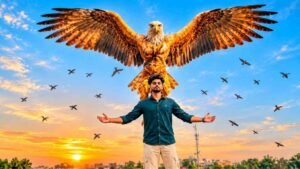
REFRANCE VIDEO
AI PROMPT
How To Create Jatayu Ai Video Using Flow Ai?
Now let’s talk about how to create a viral video of Jatayu with the help of Flow AI. For this, first of all you will need a clean and good quality photo of yourself. Also save a reference video of Jatayu from Instagram, the kind of video you want to make. After this open Google Flow AI and go to Create Video option. Here you have to upload your reference video and your own photo. After uploading both the things, copy the master prompt. That I am going to give in this article and paste it in the prompt box. Now check everything carefully and click on the Generate button. After this, AI will understand your given photo and reference video and start preparing Jatayu video accordingly. It may take a while for the video to be generated, so wait until the generation is complete. After the video is ready, watch it and if you like it, save it in your mobile. In this way, without any difficult editing, you can create. A wonderful Jatayu AI video with the help of one of your photos.
Conclusion
So friends, in this way you too can make a wonderful video of Jatayu going viral on Instagram. The help of one of your photos. In this article we have told you about both manual and AI methods. However, if you want to try this trend without recording your own video. Then the reference video and Jatayu Ai Video Prompt method will be much easier for you. Hope you liked this information and now you. Will also be able to prepare video of Jatayu as per your choice.