Aesthetic Boat Ai Prompt – In the previous article, we told you that cinematic and aesthetic photos created with AI become very viral on social media. Especially on Instagram and if you have used Instagram recently then you must have seen it on Instagram. People are making the Boat Aesthetic photo trend go viral on social media. You might have often created different types of photos with AI with the help of prompts and one of your selfies. But this aesthetic boat photo is trending. The way of making it is completely different. Yes, in this you can use prompt with your photo. But this will also require a separate background. What I mean to say is that currently the photo is going viral on Instagram. To create that kind of photo we will need three things. First a good selfie photo, second detail prompt and third background. With the help of these three things, that kind of viral photo can be easily created. With the help of google gemini and chatgpt. In this article we will give complete information about making similar photos. It will include everything you need.
Complete Guide Aesthetic Boat Ai Photo Editing
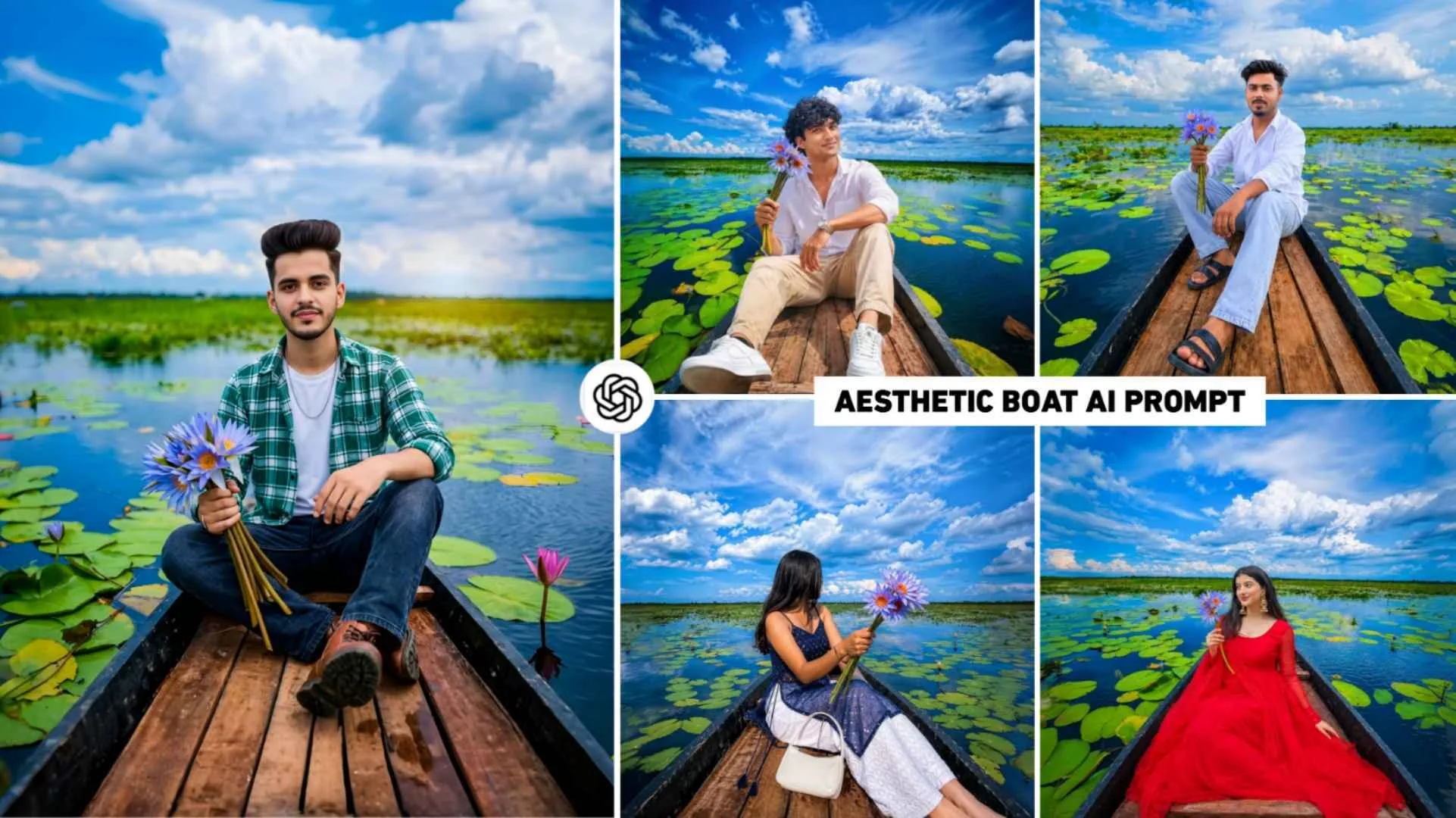
Before making the kind of photo you are thinking of making, let us tell you what is there in that photo. What kind of photo looks, what kind of background looks, all this. So let me tell you that when you create an Aesthetic Boat photo with AI using your nice selfie photo along with the prompt and background given by me, you will see it in it. You will be seen looking at the camera in a stylish pose on a traditional wooden boat. The kind of clothes you are wearing in the selfie photo will be worn by AI in the entire photo. She will also be shown holding a large bunch of beautiful blue colored lotus flowers in one hand. Which will give an attractive and unique look to the whole picture. The background of the photo will be very lively and natural. The boat is floating on the waters of a calm lake, surrounded by lush green vegetation and aquatic plants. Moreover, beautiful pink and blue lotuses bloom in many places across the water.
Moreover, the sky above is dark blue and covered with dense white and beige clouds, making the weather appear very pleasant and calm. You can create such photos with the help of both Gemini and Chatgpt AI tools.
You Cannot Edit A Photo Without A Background.
Till now, all the content creator brothers I have seen are telling me about making such photos. Be it on YouTube or Instagram. This is what I am seeing everywhere. People upload the background first. Along with this, we are telling you how to create such a photo with the help of a selfie photo and then a prompt. But let me tell you. If you use the correct prompt only with a selfie photo, your photo will become the background. I have also shared a complete prompt to make a similar photo in this article. Using which photos can be created only with selfie photos. But there is no guarantee whether such a perfect photo will be created or not. It is possible that the photo may be made but the result may be slightly different. If you want to create a photo using no background then copy the given prompt and first try creating the photo in chatgpt because there are more chances of making a perfect photo with chatgpt. If the result is not perfect then make a photo using the background because it is a trend now, so definitely follow the trend.
Aesthetic Boat Ai Prompt


How To Create Aesthetic Boat Ai Photo Using Prompts?
It is much easier to make a photo. First of all you go to paragraph four and whatever image you might have seen. Save the background image to your device by holding and pressing it. After saving, we have shown a photo in paragraph four itself. AI creates it completely. You will find a prompt in the box just below it. Then, you have to copy it properly by tapping and holding. After copying, use the Ai Tool that suits you. If you want to create a photo with chatgpt, then install Chatgpt app from Google Play Store, open it on your phone and login into it with the help of Gmail ID. After logging in, select Create Image option and with the help of media option, first add the background photo and then add the selfie photo. In which the face is clearly visible. After that, the chat box will copy whatever prompt you enter. Next, paste it and click on the send button. Then, AI will create your photo according to the prompt using your background image and selfie photo. Similarly, you can also use the second prompt to create a photo by uploading a background without it.
Conclusion
Currently, the voted photo is going viral on Instagram, which many people are calling Aesthetic Boat photo editing. In today’s article, we have given complete information about making similar photos. I have given complete information related to this viral photo editing in this article. How to make the photo, which background to use, and how to get the prompt. Moreover, you will be well informed about everything. Background editing apps can also easily create photos. Some editing apps like PicsArt, Pixxlab etc.