Double Exposure Ai Prompt – Cinematic photos created with the help of chatgpt AI go so viral on social media that don’t even ask, I see them every day. With the help of chatgpt, people keep creating new types of photos and sharing them on Instagram every day. Most of the people like to make double roll photos by using only one photo. In which there is a half body photo and a full body photo which is known as double exposure photo editing. In the matter of making photos with AI, only chatgpt came first, there was no face matching in it. But due to face mismatch, everyone had stopped using it. After the update, face matching has started happening so accurately in chatgpt that everyone has become crazy about chatgpt. Today’s article is related to AI photo editing in which I am going to tell you about making some cinematic photos with the same double roll i.e. double exposure with the help of chatgpt. In this article, I am going to share some great prompts, which if used along with your good selfie photo in chatgpt, you can easily create a thumbnail like photo.
Torn Paper Effect Double Exposure Ai Photo Editing
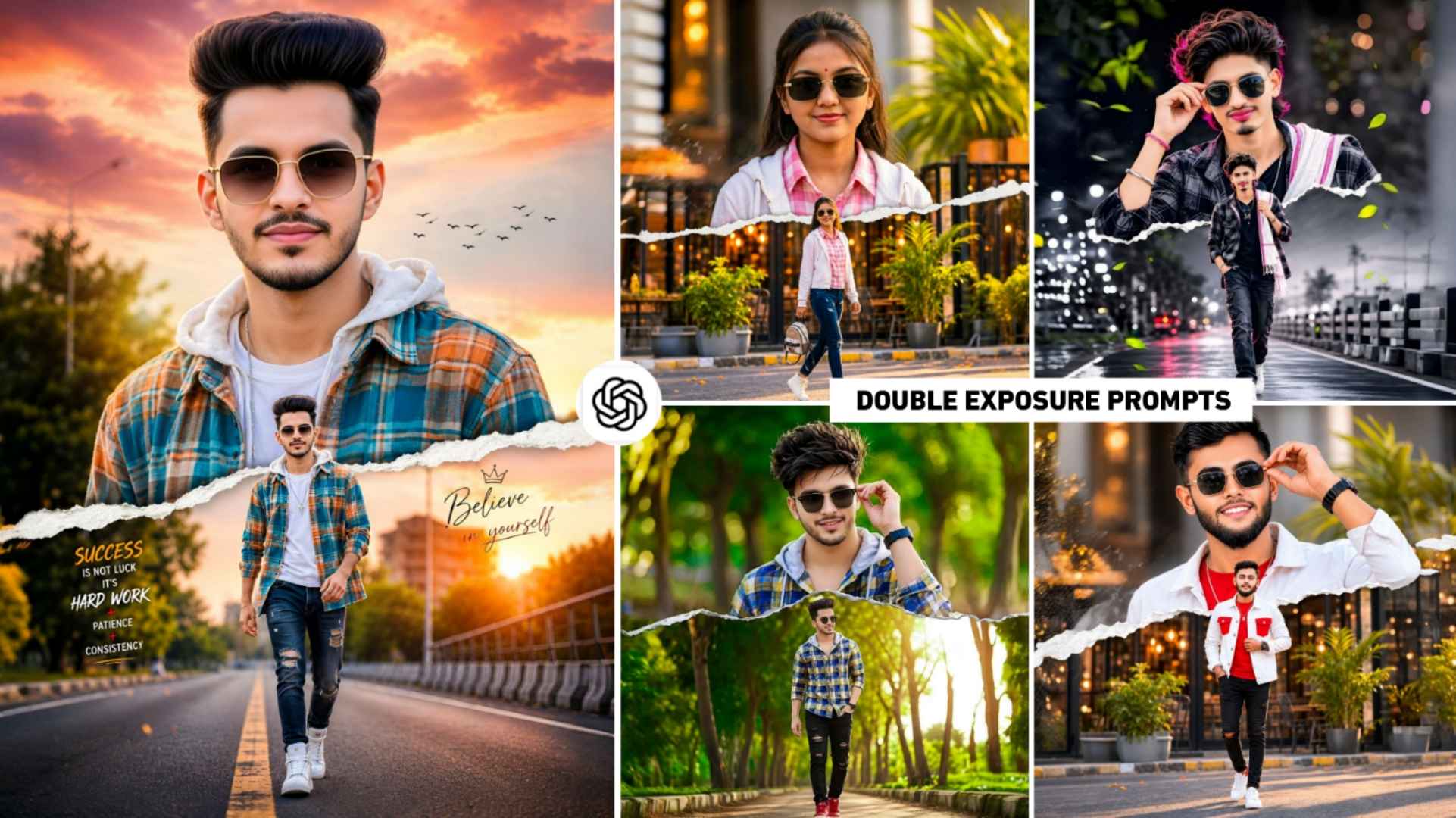
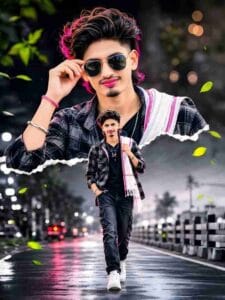
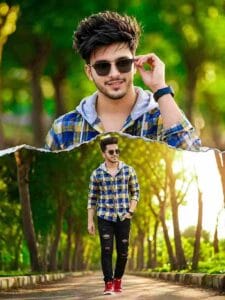
Look friends, even before this we have shared on this website some prompts for making double exposure photos, using which you people must have made many photos. But currently the trend of double exposure photos is going on. She is something different. You will see this type of double exposure photo. Torn Paper Effect is added. As much as the prompt of the image is doubled in all. As you will see in the first photo, there is a young boy wearing stylish sunglasses and smiling with a light beard. You will see in the photo that the background is made in two parts. There are many good motivational thoughts written on the photo. On one side “Success is not luck, it is hard work + patience + consistency” and on the other side “Believe in yourself” is written. Which gives a positive and confident look to the photo. I have also given prompts to make a photo for the girl, in which you will see. There is a girl who has a very simple and elegant look. She has a small bindi on her forehead and wears black rectangular sunglasses.
Why Does Chatgpt Sometimes Not Create Perfect Photos?
Yes, I know this very well. If you copy the double exposure ai prompt after seeing the photo given by me and use it in chatgpt with your selfie photo. So sometimes your photo doesn’t turn out like mine. This thing depends on AI. If AI wants, it can create a perfect photo in one go. Otherwise he makes photos two to three times. Then he creates a perfect photo. If this happens to you too then there could be some reason like the prompt you copied. It may not have been copied correctly. The writer might have left out some text. The second selfie photo will not be good due to which AI will not be able to understand what kind of photo to make by looking at the face. Even if both the selfie photo and prompt are correct, you still have the problem that the photo is not perfect. So for this you can do whatever prompt you have copied after seeing the photo, first save that photo. After saving, first upload your selfie photo in chatgpt. Then upload the saved photo and enter the prompt.
At the end of the prompt, state that the AI should create our photo exactly like that. As we have shown you in the second photo example. I am telling the truth. By doing this, the prompt can copy the photo style from anywhere. Create your photo in the same manner.
Double Exposure Ai Prompt


Chatgpt Double Exposure Prompt
Things Should Be Kept In Mind Before Create a Photo
Before creating a photo with chatgpt, we have to keep a lot of things in mind. But what is most important. It is of prompt only because prompt is the only thing through which you tell AI what you want to do in the photo or what kind of photo you want to create from your selfie photo. For example, if you put the prompt given by me in chatgpt along with a selfie photo, then it will be considered a perfect prompt. If only you add photos and write. Adding a tiger to this photo creates a weak prompt. That’s why before making a photo, pay maximum attention to the prompt. Secondly, whenever you make a photo, please login. You cannot create photos without logging in. Login can be done easily with the help of Gmail ID. If you are always interested in creating photos with the help of AI, then definitely install chatgpt app from Play Store. If sometimes you create photos with AI, then you can easily create photos by going to chatgpt’s website.
Overall Summary
Double exposure photo created with AI which is currently trending on Instagram. Today’s article is similar to the same. In which we have told about how to make a double exposure photo with Torn Paper effect. There is a torn paper effect. He shows the close-up face above and the full-body walking shot below quite well. The editor matched the colors of the background and clothes in every photo very well. So that the subject appears prominent. So definitely create such a photo with AI once using the given double exposure ai prompt. If the given prompt does not produce a perfect photo, read paragraph 3 carefully.
FAQ
1. What is Double Exposure Photo Editing?
Ans. – Double exposure photo editing combines two or more images to create an artistic and cinematic effect.
2. With Which Ai Tool Can You Create A Double Exposure Photo?
Ans. – Currently, Gemini and Chatgpt are the only apps for creating photos with AI. Therefore, they are the only ones that allow you to create double exposure photos.
3. How To Make Photo in HD Quality?
Ans. – Use high-resolution images and use the AI upscaling feature.